
Advanced Certificate in Animating Web Interfaces for Accessibility
Elevate web accessibility through advanced animation techniques, earning an industry-recognized certificate.
Advanced Certificate in Animating Web Interfaces for Accessibility
Programme Overview
The Advanced Certificate in Animating Web Interfaces for Accessibility is a comprehensive programme designed for web designers, developers, and accessibility professionals seeking to enhance their skills in creating inclusive digital experiences. This course delves into the latest techniques and tools for integrating animations into web interfaces to improve usability and accessibility. It covers the importance of accessibility standards, such as WCAG , and how to apply them effectively in animated content. The programme also explores the use of JavaScript and CSS for dynamic animations that cater to users with various disabilities.
Learners will develop a robust skill set, including the ability to design and implement animations that meet accessibility guidelines, such as ensuring animations are perceivable, operable, and understandable. They will learn to create animations that do not cause seizures or physical reactions in users, and how to provide users with the ability to pause, stop, or hide animations. Additionally, the course covers the development of animations that are compatible with assistive technologies, such as screen readers, and the use of ARIA (Accessible Rich Internet Applications) labels and roles to enhance accessibility.
This programme has a significant impact on learners' career trajectories by positioning them as leaders in inclusive web design. Graduates will be equipped to create more user-friendly and accessible digital products, which can lead to enhanced job opportunities and a higher demand for their expertise in the industry. The skills gained are transferable across various sectors, including healthcare, education, and e-commerce, where accessibility is crucial for broad user engagement and compliance
What You'll Learn
Embark on a transformative journey with the Advanced Certificate in Animating Web Interfaces for Accessibility, designed to equip you with the skills to create inclusive digital experiences. This program delves into the nuances of web accessibility, focusing on the latest techniques for animating interfaces to enhance usability and engagement for all users, regardless of ability.
Key topics include the principles of accessible design, advanced animation techniques, and the integration of accessibility standards into web development. You'll learn to use JavaScript, CSS, and HTML to craft dynamic, responsive interfaces that are not only visually appealing but also accessible to users with disabilities.
Graduates of this program are well-prepared to apply their skills in a variety of roles, from front-end developers to user experience designers. They can work on projects that aim to make digital products accessible to a broader audience, thereby contributing to a more inclusive digital landscape. Career opportunities span across tech companies, non-profits, and educational institutions, where the demand for web developers who understand and implement accessibility standards is growing.
Join us to redefine the web, one accessible interface at a time.
Programme Highlights
Industry-Aligned Curriculum
Developed with industry leaders to ensure practical, job-ready skills valued by employers worldwide.
Globally Recognised Certificate
Recognised by employers across 180+ countries as a mark of professional excellence.
Flexible Online Learning
Study at your own pace with lifetime access to all course materials and updates.
Instant Access
Start learning immediately — no application process or waiting period required.
Constantly Updated Content
Stay ahead with the latest industry trends, best practices, and emerging insights.
Career Advancement
87% of graduates report measurable career progression within 6 months of completion.
Topics Covered
- 1. Introduction to Web Accessibility: Learners will understand the importance of web accessibility and key legal and ethical considerations. They will gain foundational knowledge in accessibility standards and principles.
- 2. Color and Contrast in Web Interfaces: Learners will study the role of color and contrast in making web interfaces accessible, learning how to use color effectively and test color contrast ratios using tools.
- 3. Semantic HTML and ARIA Roles: This module covers the use of semantic HTML and ARIA roles to enhance the accessibility of web interfaces. Learners will practice coding accessible HTML and applying ARIA roles.
- 4. Responsive Design and Accessibility: Learners will explore responsive design principles and their impact on accessibility. They will develop skills in creating responsive web interfaces that are accessible across different devices and screen sizes.
- 5. Animation Principles for Accessibility: This module introduces animation principles and techniques that enhance user experience while maintaining accessibility. Learners will apply these principles to create accessible animations.
- 6. Voice and Assistive Technologies: Learners will study how voice and assistive technologies interact with web interfaces and the implications for accessibility. They will develop skills in designing interfaces that are compatible with these technologies.
- 7. Testing and Validation of Web Interfaces: This module focuses on methods for testing and validating web interfaces for accessibility. Learners will learn to use various testing tools and techniques to ensure their designs meet accessibility standards.
- 8. Case Studies in Web Accessibility: Through real-world case studies, learners will analyze successful and unsuccessful examples of web interfaces from an accessibility perspective. They will gain insights into best practices and common pitfalls.
- 9. Advanced Techniques in Accessibility: This module covers advanced techniques for enhancing the accessibility of complex web interfaces, including interactive elements and multimedia content.
- 10. Accessibility in Emerging Technologies: Learners will explore the accessibility implications of emerging technologies such as virtual and augmented reality, and how to design accessible experiences for these mediums.
Everything You Get With This Programme
Key Facts
Audience: Web developers, designers, accessibility experts
Prerequisites: Basic HTML, CSS knowledge
Outcomes: Create accessible animations, enhance user experience
Ready to Advance Your Career?
Join thousands of professionals who have transformed their careers with LSBR.
Enroll Now — $149Why This Course
Enhanced Career Opportunities: Acquiring the 'Advanced Certificate in Animating Web Interfaces for Accessibility' significantly expands career prospects in the tech industry. As web accessibility becomes increasingly important, professionals with expertise in this area can fill critical roles in web development, UX design, and digital inclusivity. This certification can distinguish candidates in job applications, making them more appealing to employers looking for skilled individuals who can improve user experiences for people with disabilities.
Skill Development in Accessibility Standards: The certificate focuses on developing in-depth knowledge of web accessibility standards and guidelines, such as WCAG (Web Content Accessibility Guidelines). Participants learn how to create accessible animations that do not rely on color, ensure screen readers can interpret animations, and maintain usability for users with visual, auditory, and cognitive impairments. These skills are highly valuable as they enable the creation of interfaces that are not only aesthetically pleasing but also functional and inclusive.
Improved User Experience for Diverse Audiences: By mastering the techniques for animating web interfaces for accessibility, professionals can significantly enhance the user experience for a broader audience. They learn to design animations that are intuitive and beneficial for users with various abilities, reducing barriers to interaction. This not only meets legal and ethical standards but also fosters a more equitable online environment, potentially increasing user engagement and satisfaction across all demographics.
Estimated Completion
3-4 Weeks
Path to Certification
1. Enroll
Sign up and get instant access to all course materials.
2. Learn
Study at your own pace with expert-designed content.
3. Complete
Finish the programme in as little as 3-4 weeks.
4. Get Certified
Receive your industry-recognised certificate from LSBR.
Join Our Global Alumni Network
0
Graduates +
0
Career Growth %
0
Salary Increase %
0
Countries +
Course Brochure
Download our comprehensive course brochure with all details
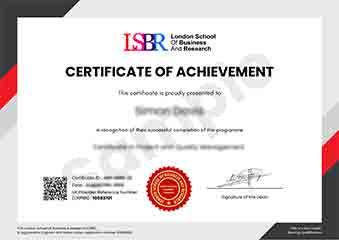
Sample Certificate
Preview the certificate you'll receive upon successful completion of this program.
Get Free Course Info
Enter your email and we'll send you the full course details, curriculum, and pricing information.
Is Your Employer Paying?
Many employers cover the cost of professional development. Request a corporate invoice and we'll handle everything — from enrolment to certification.
Trusted by 2,500+ Companies
From startups to Fortune 500 companies across 180+ countries.
What People Say About Us
Hear from our students about their experience with the Advanced Certificate in Animating Web Interfaces for Accessibility at LSBR School of Professional Development.
Sophie Brown
United Kingdom"The course content is incredibly thorough and well-structured, providing a solid foundation in accessibility principles for web interfaces. I've gained practical skills that have already enhanced my projects and opened up new opportunities in the field."
Ruby McKenzie
Australia"This course has been instrumental in enhancing my ability to create accessible web interfaces, making my designs more inclusive and user-friendly. It has not only expanded my technical skills but also opened up new career opportunities in the tech industry."
Hans Weber
Germany"The course structure is well-organized, providing a comprehensive overview of animating web interfaces for accessibility that directly translates into practical, real-world applications, enhancing my professional skills significantly."
12 people are viewing this course right now