
Certificate in Mouse Gestures: The Ultimate Browser Efficiency Guide
Master mouse gestures for ultimate browser efficiency, enhancing speed and productivity with this comprehensive certificate program.
Certificate in Mouse Gestures: The Ultimate Browser Efficiency Guide
Programme Overview
The Certificate in Mouse Gestures: The Ultimate Browser Efficiency Guide is a comprehensive programme designed for web professionals, power users, and anyone seeking to enhance their digital productivity. This programme delves into the intricacies of using advanced mouse gestures to navigate and interact with web applications more efficiently. Participants will learn how to customize and master various gestures that can significantly reduce the time spent on repetitive tasks, thereby improving overall workflow.
By completing this programme, learners will develop key skills such as proficiently using gesture-based navigation, optimizing browser settings for personalized efficiency, and integrating mouse gestures with popular web applications. They will also gain knowledge on how to troubleshoot common issues related to mouse gestures and how to recommend best practices to colleagues. Upon completion, participants will be proficient in leveraging mouse gestures to enhance their digital experience, making them more productive and streamlined in their digital tasks.
This programme has a direct impact on career advancement by equipping participants with advanced digital literacy skills. It prepares them to handle complex web tasks with ease, which is particularly valuable in roles that require high levels of digital proficiency. Furthermore, the ability to enhance personal productivity through mouse gestures can lead to increased job satisfaction and a competitive edge in the digital workplace.
What You'll Learn
Unlock the full potential of your web browsing experience with the Certificate in Mouse Gestures: The Ultimate Browser Efficiency Guide. This comprehensive program equips learners with advanced mouse gesture techniques, enabling them to navigate, manage, and interact with web pages and applications with unparalleled speed and precision. Key topics include mastering browser-specific gestures, optimizing productivity, and enhancing user interface customization.
Participants will learn to harness the power of mouse gestures to streamline tasks, reduce visual clutter, and improve overall efficiency. By the end of the program, graduates will be able to apply these skills in real-world scenarios, such as creating complex bookmarks, manipulating windows, and executing multi-tab operations with ease. This certificate is particularly valuable for professionals in fields requiring extensive web browsing, including content creators, researchers, and web developers.
The skills acquired through this program open up various career opportunities, including enhanced job performance in current roles and the potential for career advancement. Graduates can leverage their newfound expertise to boost productivity, manage complex projects more effectively, and stand out in their professional circles. Whether you are a seasoned professional or a beginner looking to enhance your digital literacy, the Certificate in Mouse Gestures offers a unique and practical set of skills to elevate your browsing experience.
Programme Highlights
Industry-Aligned Curriculum
Developed with industry leaders to ensure practical, job-ready skills valued by employers worldwide.
Globally Recognised Certificate
Recognised by employers across 180+ countries as a mark of professional excellence.
Flexible Online Learning
Study at your own pace with lifetime access to all course materials and updates.
Instant Access
Start learning immediately — no application process or waiting period required.
Constantly Updated Content
Stay ahead with the latest industry trends, best practices, and emerging insights.
Career Advancement
87% of graduates report measurable career progression within 6 months of completion.
Topics Covered
- 1. Introduction to Mouse Gestures: Learners will understand the basics of mouse gestures, their history, and how they can enhance browsing efficiency. They will gain the practical skill of recognizing and using simple mouse gestures.
- 2. Basic Mouse Gesture Techniques: This module covers essential mouse gestures like zooming, scrolling, and navigating back and forth. Learners will master these gestures to improve their web browsing experience.
- 3. Advanced Mouse Gesture Sequences: Building on the basics, learners will explore complex gesture sequences. They will learn to execute multi-step actions quickly and efficiently.
- 4. Customizing Mouse Gestures: Learners will discover how to customize their mouse gestures to suit their specific needs and preferences, enhancing their browsing experience further.
- 5. Integrating Mouse Gestures with Browser Extensions: This module focuses on integrating mouse gestures with popular browser extensions to increase productivity and efficiency.
- 6. Mouse Gesture Shortcuts for Popular Social Media Platforms: Learners will learn specialized mouse gestures for social media platforms, such as Twitter and Facebook, to navigate and interact more efficiently.
- 7. Troubleshooting Mouse Gesture Issues: This module provides guidance on troubleshooting common issues with mouse gestures, ensuring learners can resolve problems independently.
- 8. Advanced Browser Efficiency Techniques: Learners will delve into advanced techniques for maximizing browser efficiency through the use of mouse gestures, including bookmark management and content filtering.
- 9. Creating Custom Mouse Gestures for Specific Tasks: This module teaches learners how to create custom mouse gestures for specific tasks, tailoring their browsing experience to meet unique needs.
- 10. Final Project: Implementing a Comprehensive Mouse Gesture System: In this final project, learners will design and implement a comprehensive mouse gesture system, applying all the skills learned throughout the course to create a personalized and efficient browsing experience.
Everything You Get With This Programme
Key Facts
Audience: Intermediate web users
Prerequisites: Basic computer skills, experience with browsers
Outcomes: Master mouse gestures, enhance browsing speed, boost productivity
Ready to Advance Your Career?
Join thousands of professionals who have transformed their careers with LSBR.
Enroll Now — $79Why This Course
Enhance Productivity: By mastering mouse gestures, professionals can significantly streamline their browsing experience, reducing the number of clicks needed for common actions. This can save time and increase efficiency, especially for those who frequently use web applications and need to switch between multiple tabs or websites.
Develop Precision Skills: Learning and using mouse gestures requires an understanding of spatial navigation and hand-eye coordination, which can improve overall computer usage precision. Enhanced precision can lead to faster and more accurate data entry, better interaction with digital tools, and more efficient multitasking.
Stay Ahead in the Job Market: In today’s fast-paced digital work environment, professionals who can work more efficiently are often more valuable to employers. Acquiring a Certificate in Mouse Gestures can set professionals apart as they demonstrate their ability to leverage advanced tools to enhance productivity and meet deadlines more effectively. This skill can be particularly beneficial in roles that require extensive web research or data analysis.
Estimated Completion
3-4 Weeks
Path to Certification
1. Enroll
Sign up and get instant access to all course materials.
2. Learn
Study at your own pace with expert-designed content.
3. Complete
Finish the programme in as little as 3-4 weeks.
4. Get Certified
Receive your industry-recognised certificate from LSBR.
Join Our Global Alumni Network
0
Graduates +
0
Career Growth %
0
Salary Increase %
0
Countries +
Course Brochure
Download our comprehensive course brochure with all details
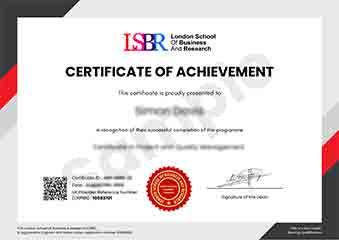
Sample Certificate
Preview the certificate you'll receive upon successful completion of this program.
Get Free Course Info
Enter your email and we'll send you the full course details, curriculum, and pricing information.
Is Your Employer Paying?
Many employers cover the cost of professional development. Request a corporate invoice and we'll handle everything — from enrolment to certification.
Trusted by 2,500+ Companies
From startups to Fortune 500 companies across 180+ countries.
What People Say About Us
Hear from our students about their experience with the Certificate in Mouse Gestures: The Ultimate Browser Efficiency Guide at LSBR School of Professional Development.
Sophie Brown
United Kingdom"This course significantly improved my browsing efficiency, teaching me a variety of mouse gestures that have become second nature, enhancing my overall productivity online. The content is well-structured and directly applicable, making it a valuable addition to my skill set."
Anna Schmidt
Germany"Since completing the Certificate in Mouse Gestures: The Ultimate Browser Efficiency Guide, my workflow has become significantly more efficient, allowing me to manage multiple tabs and navigate through websites with ease. This skill has not only enhanced my productivity but also made me more competitive in my field, opening up new opportunities for career advancement."
Kai Wen Ng
Singapore"The course is meticulously structured, offering a clear progression from basic mouse gestures to advanced techniques, which significantly enhances browser efficiency. It provides a wealth of real-world applications that have genuinely improved my daily workflow and productivity."
12 people are viewing this course right now