
Certificate in Normalizing Web Forms for Enhanced User Experience
This certificate teaches techniques for normalizing web forms to enhance user experience and data accuracy.
Certificate in Normalizing Web Forms for Enhanced User Experience
Programme Overview
The Certificate in Normalizing Web Forms for Enhanced User Experience is designed for web developers, UX designers, and digital marketers seeking to optimize form usability across various devices and platforms. This program focuses on the latest methodologies and technologies to streamline form design, improve accessibility, and enhance user engagement. Participants will learn to identify common form design pitfalls, implement responsive form layouts, and apply best practices for form validation and error messaging.
Key skills and knowledge developed through this program include the ability to conduct user research and analyze form data to inform design decisions, the proficiency in using JavaScript and form validation libraries to create adaptive and accessible forms, and the capability to implement progressive enhancement techniques to ensure forms are usable across different devices and screen sizes. Learners will also gain expertise in A/B testing and form analytics to continuously refine form performance and user satisfaction.
This program significantly impacts career progression by equipping professionals with the skills to improve conversion rates, reduce bounce rates, and enhance overall user experience. Graduates are well-prepared to take on roles that require form optimization and user interface improvement, such as form usability specialist, UX/UI designer, or front-end developer. The program also provides a solid foundation for those aiming to advance to more senior positions in web development and digital strategy.
What You'll Learn
Enhance your web development skills with the 'Certificate in Normalizing Web Forms for Enhanced User Experience.' This comprehensive program equips you with the advanced knowledge and practical skills necessary to design and implement user-friendly web forms that significantly improve user experience. Through hands-on projects and real-world case studies, you'll learn to normalize form elements, optimize form validation, and design intuitive user interfaces that reduce errors and enhance engagement.
Key topics covered include HTML5 form elements, accessibility best practices, responsive design principles, and integrating form data with backend systems. You'll also delve into the latest trends in form design and user experience, ensuring your skills remain current and relevant.
Upon completion, graduates can apply these skills to improve the usability of websites and applications, leading to higher user satisfaction and engagement. Career opportunities include web developer, front-end developer, user experience designer, and web content manager. This certificate not only enhances your employability but also prepares you to lead projects focused on creating seamless and effective online user experiences.
Programme Highlights
Industry-Aligned Curriculum
Developed with industry leaders to ensure practical, job-ready skills valued by employers worldwide.
Globally Recognised Certificate
Recognised by employers across 180+ countries as a mark of professional excellence.
Flexible Online Learning
Study at your own pace with lifetime access to all course materials and updates.
Instant Access
Start learning immediately — no application process or waiting period required.
Constantly Updated Content
Stay ahead with the latest industry trends, best practices, and emerging insights.
Career Advancement
87% of graduates report measurable career progression within 6 months of completion.
Topics Covered
- 1. Foundations of Web Forms: Learners will study the basics of web forms, including HTML form elements and attributes, and explore how forms are structured on web pages. They will gain foundational skills in creating and structuring forms for basic form handling and data submission.
- 2. User Experience Principles for Forms: This module covers key UX principles for web forms, such as minimizing user effort and preventing errors. Learners will learn how to apply these principles to enhance user experience and gain skills in designing intuitive and user-friendly forms.
- 3. Form Validation Techniques: Learners will delve into form validation methods, both client-side and server-side, and gain practical skills in implementing validation to ensure data accuracy and integrity.
- 4. Accessibility in Web Forms: This module focuses on making web forms accessible to users with disabilities. Learners will explore accessibility standards and best practices, and gain skills in creating accessible forms that meet WCAG guidelines.
- 5. Responsive Forms: Learners will study techniques for creating responsive forms that adapt to different screen sizes and devices. They will gain skills in using CSS and JavaScript to ensure forms are usable on mobile devices and other screen configurations.
- 6. Form Styling and Design: This module covers advanced styling techniques for web forms, including using CSS frameworks and custom designs. Learners will gain skills in creating visually appealing forms that enhance user engagement.
- 7. Advanced Form Handling: Learners will explore advanced form handling techniques, including handling form submissions with AJAX, and integrating forms with databases and APIs. They will gain skills in developing robust and efficient form processing systems.
- 8. Testing and Debugging Web Forms: This module focuses on testing strategies and debugging techniques for web forms. Learners will learn how to conduct thorough form testing and gain skills in identifying and resolving issues that can affect form functionality and user experience.
- 9. Best Practices and Case Studies: In this module, learners will review best practices for normalizing web forms and study real-world case studies to understand how to apply theoretical knowledge in practical scenarios. They will gain insights into common challenges and solutions in form design and implementation.
- 10. Continuous Improvement in Form Design: This final module covers strategies for continuously improving form design and user experience. Learners will learn how to gather and analyze user feedback, and gain skills in iteratively refining forms to better meet user needs.
Everything You Get With This Programme
Key Facts
Audience: Web developers, UX designers
Prerequisites: Basic HTML, CSS knowledge
Outcomes: Master form normalization, improve user experience
Ready to Advance Your Career?
Join thousands of professionals who have transformed their careers with LSBR.
Enroll Now — $79Why This Course
Enhance User Experience: Acquiring a Certificate in Normalizing Web Forms for Enhanced User Experience can significantly improve the usability and accessibility of web forms. This certification trains professionals on best practices for form design, including minimizing form length, using clear labels, and providing helpful error messages, which directly impact user satisfaction and retention.
Boost Career Opportunities: As web forms are essential for both businesses and individuals, professionals with this certification can apply their skills across various industries. This expertise can open doors to roles such as user experience designer, web developer, or front-end developer, where they can specialize in optimizing user interactions with digital forms.
Adapt to Evolving Standards: The certificate ensures that professionals stay updated with current web standards and user interface trends. This knowledge is crucial as web technologies and user expectations continually evolve. By keeping abreast of the latest developments, professionals can ensure their work remains relevant and effective.
Increase Conversion Rates: By normalizing web forms, professionals can reduce user frustration and increase the likelihood of form completion. This skill set is particularly valuable in marketing and sales contexts, where maximizing conversion rates is critical. Understanding how to streamline user input processes can lead to more efficient lead generation and sales cycles.
Estimated Completion
3-4 Weeks
Path to Certification
1. Enroll
Sign up and get instant access to all course materials.
2. Learn
Study at your own pace with expert-designed content.
3. Complete
Finish the programme in as little as 3-4 weeks.
4. Get Certified
Receive your industry-recognised certificate from LSBR.
Join Our Global Alumni Network
0
Graduates +
0
Career Growth %
0
Salary Increase %
0
Countries +
Course Brochure
Download our comprehensive course brochure with all details
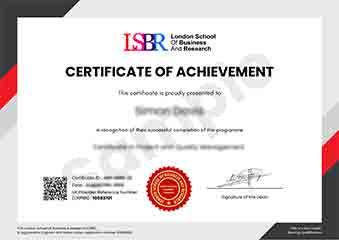
Sample Certificate
Preview the certificate you'll receive upon successful completion of this program.
Get Free Course Info
Enter your email and we'll send you the full course details, curriculum, and pricing information.
Is Your Employer Paying?
Many employers cover the cost of professional development. Request a corporate invoice and we'll handle everything — from enrolment to certification.
Trusted by 2,500+ Companies
From startups to Fortune 500 companies across 180+ countries.
What People Say About Us
Hear from our students about their experience with the Certificate in Normalizing Web Forms for Enhanced User Experience at LSBR School of Professional Development.
James Thompson
United Kingdom"The course content was incredibly thorough, covering everything from form validation to responsive design, which significantly enhanced my ability to create user-friendly web forms. Gaining these practical skills has been invaluable for my career, as I can now design forms that not only look great but also function seamlessly across different devices."
Emma Tremblay
Canada"This certificate course has been instrumental in refining my ability to design web forms that are both user-friendly and effective. It has significantly enhanced my portfolio, making me a more attractive candidate in the job market and opening up new opportunities in UX design."
Ashley Rodriguez
United States"The course structure is well-organized, providing a clear path from basic form design principles to advanced techniques for enhancing user experience. The comprehensive content not only covers theoretical aspects but also includes numerous real-world examples that have significantly broadened my understanding and practical skills in normalizing web forms."
12 people are viewing this course right now