
Certificate in WordPress Backup for Multisite Networks
Learn to securely backup and restore WordPress Multisite networks, ensuring data integrity and minimizing downtime.
Certificate in WordPress Backup for Multisite Networks
Programme Overview
This course is for WordPress professionals managing multisite networks. First, you'll learn to identify backup needs. Next, you'll discover top backup plugins. Then, you will execute backup strategies. Finally, you'll learn to restore sites efficiently.
You will gain hands-on experience. Moreover, you will understand best practices. Lastly, you will receive a certificate. This proves your skills in multisite network backup and restoration.
What You'll Learn
Dive into the world of WordPress Multisite networks with our 'Certificate in WordPress Backup for Multisite Networks.' First, you'll understand the intricacies of WordPress Multisite. Next, you'll learn to safeguard your sites with effective backup strategies.
Master advanced backup techniques. Furthermore, you can gain hands-on experience with popular backup plugins. Additionally, you can explore disaster recovery methods. Moreover, you will also learn to monitor and maintain your backups for peace of mind.
This course opens doors to exciting career opportunities. For instance, you can become a WordPress Multisite specialist. Or, you can offer backup services to businesses. In addition, you can boost your freelance career. Plus, you'll gain a competitive edge in the job market.
Join us today. Empower yourself with essential skills. Protect your digital assets. Ensure your success in the dynamic world of WordPress Multisite networks.
Programme Highlights
Industry-Aligned Curriculum
Developed with industry leaders to ensure practical, job-ready skills valued by employers worldwide.
Globally Recognised Certificate
Recognised by employers across 180+ countries as a mark of professional excellence.
Flexible Online Learning
Study at your own pace with lifetime access to all course materials and updates.
Instant Access
Start learning immediately — no application process or waiting period required.
Constantly Updated Content
Stay ahead with the latest industry trends, best practices, and emerging insights.
Career Advancement
87% of graduates report measurable career progression within 6 months of completion.
Topics Covered
- Introduction to WordPress Multisite: Understand the basics and benefits of WordPress Multisite networks.
- Backup Fundamentals: Learn the importance and types of backups for WordPress Multisite.
- Choosing the Right Backup Plugin: Compare popular backup plugins suitable for Multisite networks.
- Configuring Backup Settings: Set up optimal backup schedules and storage solutions.
- Automating Backup Processes: Implement automated backup strategies for efficiency.
- Restoring and Troubleshooting Backups: Perform restorations and solve common backup issues in Multisite.
Everything You Get With This Programme
Key Facts
Audience
WordPress users wanting to manage backups for multisite networks. Whether you are a beginner or have some experience, this course is for you.
Prerequisites
First, you need a basic understanding of WordPress. Additionally, you should have access to a WordPress multisite network. Moreover, familiarity with basic backup concepts will be beneficial.
Outcomes
Afterward, you will learn to schedule regular backups. Next, you will understand how to restore sites from backups. Finally, you will grasp how to troubleshoot common backup issues.
Ready to Advance Your Career?
Join thousands of professionals who have transformed their careers with LSBR.
Enroll Now — $79Why This Course
Firstly, pick this certificate to master multisite backup. Firstly, it teaches how to secure and manage all sites in a network. Secondly, it offers hands-on training for various backup plugins. Moreover, it covers disaster recovery strategies for multisite networks. Lastly, it empowers learners to protect their sites from data loss. For example, it allows them to plan and execute backups. Consequently, it ensures learners can maintain site functionality and security.
Estimated Completion
3-4 Weeks
Path to Certification
1. Enroll
Sign up and get instant access to all course materials.
2. Learn
Study at your own pace with expert-designed content.
3. Complete
Finish the programme in as little as 3-4 weeks.
4. Get Certified
Receive your industry-recognised certificate from LSBR.
Join Our Global Alumni Network
0
Graduates +
0
Career Growth %
0
Salary Increase %
0
Countries +
Course Brochure
Download our comprehensive course brochure with all details
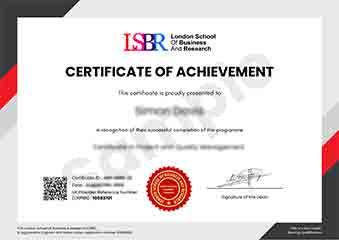
Sample Certificate
Preview the certificate you'll receive upon successful completion of this program.
Get Free Course Info
Enter your email and we'll send you the full course details, curriculum, and pricing information.
Is Your Employer Paying?
Many employers cover the cost of professional development. Request a corporate invoice and we'll handle everything — from enrolment to certification.
Trusted by 2,500+ Companies
From startups to Fortune 500 companies across 180+ countries.
What People Say About Us
Hear from our students about their experience with the Certificate in WordPress Backup for Multisite Networks at LSBR School of Professional Development.
Oliver Davies
United Kingdom"The course content was incredibly comprehensive, covering everything from basic backup strategies to advanced techniques for multisite networks. I gained practical skills that I can immediately apply to my job, such as setting up automated backups and restoring sites efficiently, which has significantly boosted my confidence in managing WordPress multisite environments."
Jack Thompson
Australia"This course has been a game-changer for my career in web management. I've gained hands-on experience in backing up and restoring WordPress Multisite networks, which has made me more confident in handling complex website infrastructures. The skills I've acquired are directly applicable to my job, and I've already seen a significant improvement in my ability to manage and secure multiple sites efficiently."
Arjun Patel
India"The course structure was exceptionally well-organized, with each module building logically on the previous one, making it easy to follow even for someone new to WordPress multisite networks. The comprehensive content not only covered the basics but also delved into advanced backup strategies, providing me with practical knowledge that I can directly apply to my professional projects."
12 people are viewing this course right now