
Certificate in WordPress Content Management: Efficient Workflow Simulation
Master efficient WordPress content management with this certificate, enhancing workflow and site productivity.
Certificate in WordPress Content Management: Efficient Workflow Simulation
Programme Overview
The Certificate in WordPress Content Management: Efficient Workflow Simulation is an intensive program designed for web developers, content creators, and digital marketers seeking to enhance their skills in managing and optimizing content on WordPress platforms. This program equips learners with the comprehensive knowledge and practical skills necessary to streamline their workflow, ensuring efficient content creation, management, and deployment. Participants will learn to utilize advanced WordPress plugins, understand content strategy, and implement effective SEO practices, all while adhering to best coding practices and user experience guidelines.
Key skills and knowledge developed during this program include mastering the use of WordPress themes and plugins, understanding content management systems (CMS) architecture, creating and managing custom post types and taxonomies, optimizing multimedia content, and implementing a robust content management workflow. Learners will also gain proficiency in using developer tools and plugins for debugging, performance optimization, and security enhancements. By the end of the program, participants will be adept at enhancing website performance, ensuring content is search engine friendly, and creating a seamless user experience.
This program significantly impacts learners' careers by preparing them for roles such as WordPress developer, content manager, or digital marketing specialist. Graduates will be well-equipped to handle complex content management tasks, leading to enhanced job prospects and career advancement opportunities in the digital content management field. The skills acquired are highly marketable, ensuring learners can confidently take on projects that require a deep understanding of WordPress and its ecosystem.
What You'll Learn
The Certificate in WordPress Content Management: Efficient Workflow Simulation is a comprehensive program designed to empower content creators and digital marketers with the skills to manage and optimize their WordPress sites for maximum efficiency and impact. This program delves into essential topics such as WordPress core functionalities, plugin integration, SEO optimization, and user experience design, equipping participants with a solid foundation in content management practices.
Through hands-on workshops and real-world projects, participants learn to streamline their workflow, enhance site performance, and leverage WordPress’s robust features to create engaging content. Graduates apply these skills to improve the digital presence of businesses, non-profits, and personal brands, ensuring their sites are not only visually appealing but also highly functional and search engine friendly.
Upon completion, graduates are well-prepared for roles such as content management specialists, digital marketers, and web developers. They can significantly contribute to the success of organizations by enhancing their online visibility and user engagement. Whether launching a new business, managing a company’s digital footprint, or seeking to advance in a marketing or web development career, the skills acquired in this certificate program are invaluable.
Programme Highlights
Industry-Aligned Curriculum
Developed with industry leaders to ensure practical, job-ready skills valued by employers worldwide.
Globally Recognised Certificate
Recognised by employers across 180+ countries as a mark of professional excellence.
Flexible Online Learning
Study at your own pace with lifetime access to all course materials and updates.
Instant Access
Start learning immediately — no application process or waiting period required.
Constantly Updated Content
Stay ahead with the latest industry trends, best practices, and emerging insights.
Career Advancement
87% of graduates report measurable career progression within 6 months of completion.
Topics Covered
- 1. Introduction to WordPress CMS: Learners will understand the basics of WordPress, its architecture, and key terminologies. They will gain foundational knowledge to set up a WordPress environment and navigate its interface.
- 2. User Roles and Permissions: This module will cover different user roles in WordPress, their permissions, and how to manage them effectively. Learners will learn to configure user roles and permissions to streamline team collaboration.
- 3. Content Creation and Management: Students will learn to create, edit, and manage content using WordPress. They will gain skills in using various content formats and optimizing content for SEO.
- 4. Media Management: This module focuses on managing media files in WordPress, including uploading, editing, and organizing images and videos. Learners will understand how to use media libraries and media settings effectively.
- 5. Pages vs. Posts: Learners will differentiate between pages and posts, and understand when to use each. They will learn to structure their website content using both elements to enhance user experience.
- 6. Custom Post Types and Taxonomies: This module will introduce advanced content management techniques, including creating custom post types and taxonomies. Learners will learn to extend WordPress capabilities to meet specific project needs.
- 7. Plugin and Theme Integration: Students will explore how to integrate plugins and themes into their WordPress sites. They will learn to select, install, and configure plugins and themes to enhance functionality and aesthetics.
- 8. Workflow Optimization: This module will focus on streamlining content management workflows to improve efficiency. Learners will learn best practices for organizing content, automating processes, and using tools to enhance productivity.
- 9. Advanced Custom Fields: This module will delve into using Advanced Custom Fields (ACF) to create custom fields and enhance content management. Learners will learn to build custom forms and manage complex content structures.
- 10. Troubleshooting and Maintenance: The final module will cover common issues and troubleshooting techniques for WordPress sites. Learners will learn how to maintain their sites, perform regular updates, and resolve common problems to ensure a smooth user experience.
Everything You Get With This Programme
Key Facts
Audience: WordPress users, professionals
Prerequisites: Basic WordPress knowledge
Outcomes: Efficient workflow, enhanced site management
Ready to Advance Your Career?
Join thousands of professionals who have transformed their careers with LSBR.
Enroll Now — $79Why This Course
Enhanced Workflow Efficiency: The 'Certificate in WordPress Content Management: Efficient Workflow Simulation' equips professionals with advanced tools and techniques for managing and optimizing content workflows. This certification helps streamline processes, reduce errors, and increase productivity, making content management more efficient and effective in digital environments.
In-depth Skill Development: Through this program, participants gain a comprehensive understanding of WordPress, including its core functionalities, plugins, and themes. This knowledge is crucial for creating, managing, and updating content efficiently. By mastering these skills, professionals can enhance their ability to deliver high-quality content consistently, which is essential in today's fast-paced digital landscape.
Career Advancement Opportunities: Acquiring this certificate can significantly boost career prospects. As more organizations adopt WordPress for their content management needs, professionals with specialized knowledge and skills in this area become highly sought after. The certificate not only adds value to one's resume but also opens doors to leadership roles or specialized positions focused on content management and digital strategy.
Estimated Completion
3-4 Weeks
Path to Certification
1. Enroll
Sign up and get instant access to all course materials.
2. Learn
Study at your own pace with expert-designed content.
3. Complete
Finish the programme in as little as 3-4 weeks.
4. Get Certified
Receive your industry-recognised certificate from LSBR.
Join Our Global Alumni Network
0
Graduates +
0
Career Growth %
0
Salary Increase %
0
Countries +
Course Brochure
Download our comprehensive course brochure with all details
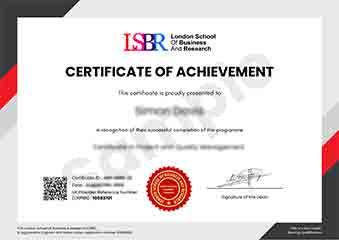
Sample Certificate
Preview the certificate you'll receive upon successful completion of this program.
Get Free Course Info
Enter your email and we'll send you the full course details, curriculum, and pricing information.
Is Your Employer Paying?
Many employers cover the cost of professional development. Request a corporate invoice and we'll handle everything — from enrolment to certification.
Trusted by 2,500+ Companies
From startups to Fortune 500 companies across 180+ countries.
What People Say About Us
Hear from our students about their experience with the Certificate in WordPress Content Management: Efficient Workflow Simulation at LSBR School of Professional Development.
Sophie Brown
United Kingdom"The course content is incredibly thorough, covering all the essential aspects of WordPress workflow from a practical standpoint, which has significantly enhanced my ability to manage content efficiently. Gaining hands-on experience with the tools and techniques taught has been invaluable for my career in web development."
Madison Davis
United States"This certificate course has been incredibly practical, equipping me with the skills to streamline my workflow and manage WordPress content more efficiently. It has directly translated into faster project completion and a more polished online presence for my clients, making me a more valuable asset in my role as a digital marketer."
Emma Tremblay
Canada"The course structure is well-organized, providing a clear path from basic WordPress setup to advanced workflow management, which has significantly enhanced my ability to handle content efficiently in a professional setting."
12 people are viewing this course right now