
Executive Development Programme in Enhancing Coding Efficiency with Keyboard Shortcuts
This programme enhances coding efficiency by teaching essential keyboard shortcuts, boosting productivity and code quality for executives.
Executive Development Programme in Enhancing Coding Efficiency with Keyboard Shortcuts
Programme Overview
The Executive Development Programme in Enhancing Coding Efficiency with Keyboard Shortcuts is designed for software developers, engineers, and technical managers who aspire to streamline their coding processes and enhance their productivity. This program equips participants with advanced keyboard shortcut techniques across various programming languages and integrated development environments (IDEs), ensuring they can write more efficient and cleaner code. Through hands-on workshops and practical exercises, participants will learn to master a wide range of shortcuts that can significantly reduce the time spent on repetitive tasks.
Learners will develop key skills in recognizing and utilizing context-specific shortcuts, understanding keyboard layout optimization, and integrating automation tools to enhance coding efficiency. The program also emphasizes the importance of customizing shortcuts to suit individual workflows and team standards, fostering an environment of continuous improvement and innovation. By the end of the program, participants will be able to write code faster, reduce errors, and contribute more effectively to their projects and teams.
The career impact of this programme is substantial. Participants will see an immediate improvement in their coding speed and quality, which can lead to higher job satisfaction and greater recognition from peers and managers. Enhanced coding efficiency can also translate into more significant project contributions and better time management, paving the way for career advancement and leadership opportunities in their respective fields.
What You'll Learn
Embark on a transformative journey with our Executive Development Programme in Enhancing Coding Efficiency with Keyboard Shortcuts. Tailored for tech professionals aiming to boost their productivity, this comprehensive programme equips you with advanced keyboard shortcuts and coding techniques to streamline your workflows. Delivered by industry experts, the curriculum includes hands-on sessions on optimizing code, mastering IDE (Integrated Development Environment) shortcuts, and integrating automation tools to enhance your coding environment.
Attendees will gain practical skills that can be immediately applied in their daily tasks, from speeding up routine operations to improving code quality. By the end of the programme, you’ll be able to implement these efficiencies in real-world projects, significantly reducing development time and increasing output. This programme is not just about learning shortcuts; it’s about elevating your professional toolkit to meet the demands of modern software development.
Graduates of this programme are well-positioned to pursue career advancements in tech leadership roles, such as senior software developers, tech managers, or lead developers. The skills acquired here are highly transferable across various tech sectors, making you a valuable asset in any organization. Join this programme to accelerate your career growth and become a coding efficiency expert.
Programme Highlights
Industry-Aligned Curriculum
Developed with industry leaders to ensure practical, job-ready skills valued by employers worldwide.
Globally Recognised Certificate
Recognised by employers across 180+ countries as a mark of professional excellence.
Flexible Online Learning
Study at your own pace with lifetime access to all course materials and updates.
Instant Access
Start learning immediately — no application process or waiting period required.
Constantly Updated Content
Stay ahead with the latest industry trends, best practices, and emerging insights.
Career Advancement
87% of graduates report measurable career progression within 6 months of completion.
Topics Covered
- 1. Introduction to Keyboard Shortcuts: Learners will understand the importance of keyboard shortcuts in programming and explore basic shortcuts across various integrated development environments (IDEs). By the end, they will be able to improve their coding speed and efficiency.
- 2. Shortcut Syntax and Customization: This module covers the syntax and customization of shortcuts in different IDEs. Learners will learn how to modify and create their own shortcuts for commonly used commands. Practical skills include setting up personalized shortcuts for their workflow.
- 3. Essential Coding Shortcuts: Learners will study essential coding shortcuts for common programming tasks in languages like Python, Java, and JavaScript. They will gain hands-on experience in applying these shortcuts to real-world coding scenarios.
- 4. Debugging and Navigation Shortcuts: This module focuses on shortcuts for debugging and navigating code. Learners will learn how to use shortcuts to quickly find and fix errors, navigate through codebase, and manage project files. Practical skills include using breakpoints and navigating the call stack.
- 5. Advanced Text Manipulation and Editing: Learners will delve into advanced text manipulation and editing shortcuts. Topics include code refactoring, quick fixes, and formatting. Practical skills include automating repetitive coding tasks and maintaining code quality.
- 6. Version Control Shortcuts: This module covers shortcuts for version control systems like Git. Learners will learn how to efficiently manage code versions, merge changes, and resolve conflicts using keyboard shortcuts. Practical skills include setting up and managing a Git repository.
- 7. Efficiency in IDEs and Code Editors: Learners will explore advanced features and shortcuts in popular IDEs and code editors. They will learn how to optimize their development environment and streamline their coding process. Practical skills include integrating development tools and automating tasks.
- 8. Performance Optimization and Best Practices: This module focuses on optimizing performance through efficient shortcut usage and best coding practices. Learners will learn how to identify and eliminate bottlenecks in their coding process. Practical skills include implementing best practices for code efficiency.
- 9. Collaborative Development Shortcuts: Learners will study shortcuts for collaborative development environments. Topics include working with remote repositories, branching, and merging. Practical skills include collaborating effectively with team members using keyboard shortcuts.
- 10. Personalized Shortcut Strategy: This final module guides learners in developing a personalized shortcut strategy tailored to their specific programming needs. Learners will reflect on their learning and create a plan to integrate shortcuts into their daily coding practice. Practical skills include creating a customized shortcut workflow.
Everything You Get With This Programme
Key Facts
Audience: Programmers, software developers
Prerequisites: Basic coding knowledge
Outcomes: Improved coding speed, enhanced productivity
Ready to Advance Your Career?
Join thousands of professionals who have transformed their careers with LSBR.
Enroll Now — $199Why This Course
Enhanced Productivity and Efficiency: Professionals who participate in an Executive Development Programme in Enhancing Coding Efficiency with Keyboard Shortcuts can significantly boost their productivity. By mastering a suite of keyboard shortcuts relevant to their programming language, they can perform tasks faster and with fewer mouse clicks, leading to reduced work time and increased output.
Improved Skill Set and Marketability: This programme equips professionals with advanced coding skills that are highly valued in the tech industry. Knowledge of efficient coding techniques and shortcuts not only enhances their current job performance but also makes them more marketable for higher positions or roles that demand superior coding abilities.
Better Work-Life Balance: Learning to code more efficiently can help professionals manage their workload more effectively, potentially leading to a better work-life balance. By completing tasks more quickly, they can allocate more time to other responsibilities or personal activities, contributing to overall job satisfaction and well-being.
Estimated Completion
3-4 Weeks
Path to Certification
1. Enroll
Sign up and get instant access to all course materials.
2. Learn
Study at your own pace with expert-designed content.
3. Complete
Finish the programme in as little as 3-4 weeks.
4. Get Certified
Receive your industry-recognised certificate from LSBR.
Join Our Global Alumni Network
0
Graduates +
0
Career Growth %
0
Salary Increase %
0
Countries +
Course Brochure
Download our comprehensive course brochure with all details
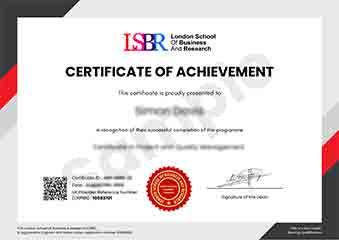
Sample Certificate
Preview the certificate you'll receive upon successful completion of this program.
Get Free Course Info
Enter your email and we'll send you the full course details, curriculum, and pricing information.
Is Your Employer Paying?
Many employers cover the cost of professional development. Request a corporate invoice and we'll handle everything — from enrolment to certification.
Trusted by 2,500+ Companies
From startups to Fortune 500 companies across 180+ countries.
What People Say About Us
Hear from our students about their experience with the Executive Development Programme in Enhancing Coding Efficiency with Keyboard Shortcuts at LSBR School of Professional Development.
James Thompson
United Kingdom"The course provided an extensive library of keyboard shortcuts that significantly boosted my coding efficiency. Gaining these practical skills has been incredibly beneficial for my daily work, allowing me to write code faster and more accurately."
Ashley Rodriguez
United States"This course has been incredibly valuable in making my coding process more efficient and streamlined. Since completing the program, I've been able to implement keyboard shortcuts that have significantly sped up my workflow, allowing me to take on more projects and deliver them faster, which has definitely boosted my career prospects in the tech industry."
Siti Abdullah
Malaysia"The course structure is well-organized, providing a clear progression from basic to advanced keyboard shortcuts, which significantly enhances coding efficiency in real-world projects. The comprehensive content not only covers essential shortcuts but also their practical applications, fostering substantial professional growth."
12 people are viewing this course right now