
Executive Development Programme in GUI Poster Design: Prototyping with Figma
Enhance GUI skills with Figma for prototyping; accelerate career growth in executive development through interactive poster design.
Executive Development Programme in GUI Poster Design: Prototyping with Figma
Programme Overview
The Executive Development Programme in GUI Poster Design: Prototyping with Figma is designed for executives and professionals who are looking to enhance their digital design skills, particularly in creating effective graphic user interface (GUI) posters. This program is tailored for those in leadership roles within technology, marketing, and product development, aiming to bridge the gap between strategic vision and design execution. Participants will explore the advanced features of Figma, a collaborative design tool that streamlines the prototyping process, making it an essential skill for modern professionals.
Key skills and knowledge developed during the programme include the ability to create responsive and interactive GUI poster designs, understand user experience (UX) principles, and leverage Figma’s collaborative features to enhance team communication and project efficiency. Learners will also gain proficiency in UI/UX design fundamentals, color theory, typography, and layout techniques, which are crucial for crafting visually appealing and functional GUI posters. Additionally, the programme emphasizes the importance of aligning design elements with brand guidelines and user needs, ensuring that the final product is both aesthetically pleasing and effective in its intended context.
The programme has a significant career impact, equipping participants with the skills necessary to lead design initiatives, improve product usability, and drive innovation. Participants will be better positioned to contribute to strategic decision-making processes, enhance client satisfaction, and elevate their professional profiles. This programme not only boosts individual capabilities but also fosters a culture of continuous improvement and creative problem-solving within organizations.
What You'll Learn
Introducing the Executive Development Programme in GUI Poster Design: Prototyping with Figma, a comprehensive course designed to elevate your design and prototyping skills. This unique programme equips professionals with the advanced knowledge and practical skills necessary to create compelling GUI poster designs, streamline the prototyping process, and enhance user experience in digital products.
Key topics covered include the fundamentals of GUI design, Figma’s robust design and collaboration tools, interactive prototyping techniques, and user-centered design principles. Participants will learn to craft intuitive designs, optimize for various devices, and effectively communicate design decisions through detailed prototypes.
By participating in this programme, graduates will acquire a portfolio of high-quality GUI posters and prototypes, which are valuable assets in digital product design. These skills are highly sought after in industries such as technology, marketing, and media, offering graduates a range of career opportunities. Graduates can pursue roles as GUI designers, product designers, or user experience (UX) designers, contributing to the development of innovative digital products.
Join us to transform your design vision into reality and position yourself at the forefront of digital product design.
Programme Highlights
Industry-Aligned Curriculum
Developed with industry leaders to ensure practical, job-ready skills valued by employers worldwide.
Globally Recognised Certificate
Recognised by employers across 180+ countries as a mark of professional excellence.
Flexible Online Learning
Study at your own pace with lifetime access to all course materials and updates.
Instant Access
Start learning immediately — no application process or waiting period required.
Constantly Updated Content
Stay ahead with the latest industry trends, best practices, and emerging insights.
Career Advancement
87% of graduates report measurable career progression within 6 months of completion.
Topics Covered
- 1. Introduction to GUI Poster Design: Learners will understand the basics of graphical user interface (GUI) design and the importance of poster design in various contexts. They will gain foundational skills in creating simple, effective poster layouts using design principles and color theory.
- 2. Figma Basics: This module introduces learners to Figma, including its interface, basic tools, and file management. Learners will become proficient in creating, saving, and collaborating on Figma projects.
- 3. Typography Fundamentals: Learners will explore the principles of typography, including font selection, size, and spacing. They will learn how to apply these principles effectively in Figma to enhance the readability and aesthetic appeal of their poster designs.
- 4. Color Theory and Palette Creation: Focusing on color theory, learners will understand how to choose and apply color palettes that are harmonious and visually appealing. They will practice creating color schemes in Figma and applying them to their poster designs.
- 5. Layout and Composition Techniques: This module covers key layout and composition techniques for creating balanced and engaging poster designs. Learners will apply these techniques in Figma to design dynamic and visually pleasing layouts.
- 6. Advanced Figma Features: Learners will delve into advanced features of Figma, such as states, components, and symbols, to streamline their design process and enhance the functionality of their posters.
- 7. Interactive Prototyping in Figma: This module teaches learners how to create interactive prototypes in Figma, allowing them to simulate user interactions and transitions within their poster designs.
- 8. Branding and Consistency: Learners will study the importance of branding in design and how to maintain consistency across different elements of a poster design. They will apply these principles in Figma to ensure their designs align with brand guidelines.
- 9. Visual Hierarchy and Emphasis: Learners will learn how to create visual hierarchies and emphasize key elements in their designs to guide the viewer’s attention effectively. They will practice these techniques in Figma to enhance the impact of their posters.
- 10. Presentation and Feedback: In this final module, learners will prepare and deliver presentations of their poster designs to peers and receive constructive feedback. They will refine their designs based on the feedback received and learn how to effectively communicate their design decisions.
Everything You Get With This Programme
Key Facts
Target Audience: Designers, managers, and product owners
Prerequisites: Basic design knowledge, Figma access
Outcomes: Competent in GUI prototyping, enhanced design skills
Ready to Advance Your Career?
Join thousands of professionals who have transformed their careers with LSBR.
Enroll Now — $199Why This Course
Enhance Visual Communication Skills: This programme equips professionals with advanced GUI poster design techniques, enabling them to create clear and engaging visual content. These skills are crucial for effectively communicating complex ideas and data, which can significantly improve presentation quality and audience engagement.
Master Figma Prototyping: By learning to use Figma for prototyping, participants can streamline the design process and facilitate collaboration among team members. Figma's real-time editing features allow for immediate feedback and adjustments, enhancing the efficiency and effectiveness of design projects.
Boost Career Advancement: The ability to design compelling GUI posters and use Figma for prototyping can open up new opportunities in various industries, including marketing, communications, and software development. Acquiring these skills can make professionals more versatile and valuable, potentially leading to higher job satisfaction and career advancement.
Estimated Completion
3-4 Weeks
Path to Certification
1. Enroll
Sign up and get instant access to all course materials.
2. Learn
Study at your own pace with expert-designed content.
3. Complete
Finish the programme in as little as 3-4 weeks.
4. Get Certified
Receive your industry-recognised certificate from LSBR.
Join Our Global Alumni Network
0
Graduates +
0
Career Growth %
0
Salary Increase %
0
Countries +
Course Brochure
Download our comprehensive course brochure with all details
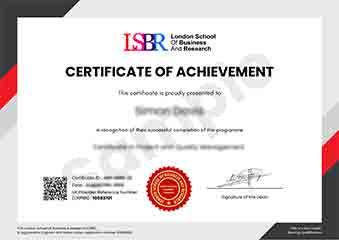
Sample Certificate
Preview the certificate you'll receive upon successful completion of this program.
Get Free Course Info
Enter your email and we'll send you the full course details, curriculum, and pricing information.
Is Your Employer Paying?
Many employers cover the cost of professional development. Request a corporate invoice and we'll handle everything — from enrolment to certification.
Trusted by 2,500+ Companies
From startups to Fortune 500 companies across 180+ countries.
What People Say About Us
Hear from our students about their experience with the Executive Development Programme in GUI Poster Design: Prototyping with Figma at LSBR School of Professional Development.
Sophie Brown
United Kingdom"The course content was incredibly comprehensive, covering all the essential aspects of GUI design with Figma. I gained practical skills that have already enhanced my ability to create effective prototypes, which I believe will significantly boost my career prospects in user experience design."
Ryan MacLeod
Canada"This course has been incredibly valuable in bridging the gap between theoretical knowledge and practical application in GUI design. It has not only enhanced my prototyping skills with Figma but also made my designs more industry-relevant, opening up new opportunities for career advancement in UX/UI roles."
Kavya Reddy
India"The course structure was meticulously organized, providing a seamless learning path from basic GUI design principles to advanced prototyping techniques with Figma. It offered a wealth of real-world applications that significantly enhanced my understanding and prepared me for professional challenges in user interface design."
12 people are viewing this course right now