
Executive Development Programme in Keyboard Navigation: Essential for Accessible Design
This programme equips executives with essential skills in keyboard navigation, enhancing accessible design and inclusivity in digital products.
Executive Development Programme in Keyboard Navigation: Essential for Accessible Design
Programme Overview
This Executive Development Programme in Keyboard Navigation: Essential for Accessible Design is tailored for professionals in the digital and user experience design fields who seek to enhance their skills in creating inclusive digital environments. The programme focuses on the principles and practices of keyboard navigation, enabling learners to design interfaces that are fully accessible to users of all abilities, including those who rely on keyboard-only navigation or assistive technologies.
Key skills and knowledge learners will develop include a comprehensive understanding of keyboard navigation techniques, principles of accessible design, and the application of these principles in various digital platforms. Learners will also gain proficiency in using tools and software that support accessible design, as well as strategies for testing and auditing the accessibility of digital interfaces. By mastering these skills, participants will be able to design and implement user-friendly, accessible digital experiences that meet the needs of a diverse user base.
The career impact of this programme is significant, as it equips participants with the knowledge and skills to lead initiatives in digital accessibility, enhancing user experience and ensuring compliance with accessibility standards. Graduates will be well-prepared to advance their careers in roles such as accessibility specialists, user experience designers, or digital inclusion advocates, contributing to a more inclusive digital landscape.
What You'll Learn
The Executive Development Programme in Keyboard Navigation: Essential for Accessible Design is a transformative initiative aimed at enhancing the digital accessibility of professionals and organizations. This program equips participants with the skills necessary to navigate web content using only a keyboard, a critical skill for ensuring digital inclusivity. Participants will delve into the intricacies of keyboard navigation, including advanced techniques and accessibility standards, such as WCAG Through hands-on workshops and real-world case studies, the program explores how to make websites, applications, and digital platforms accessible to individuals with various disabilities.
Upon completion, graduates will be adept at implementing keyboard-friendly design practices, ensuring their work reaches a broader audience. This skill set is invaluable for roles in web development, user experience design, and digital project management. Graduates will not only enhance their professional portfolios but also contribute to a more inclusive digital world. Career opportunities abound, from leading accessible design initiatives to mentoring future designers and developers. By mastering keyboard navigation, participants become leaders in creating accessible, user-friendly digital experiences that respect and accommodate all users.
Programme Highlights
Industry-Aligned Curriculum
Developed with industry leaders to ensure practical, job-ready skills valued by employers worldwide.
Globally Recognised Certificate
Recognised by employers across 180+ countries as a mark of professional excellence.
Flexible Online Learning
Study at your own pace with lifetime access to all course materials and updates.
Instant Access
Start learning immediately — no application process or waiting period required.
Constantly Updated Content
Stay ahead with the latest industry trends, best practices, and emerging insights.
Career Advancement
87% of graduates report measurable career progression within 6 months of completion.
Topics Covered
- 1. Introduction to Keyboard Navigation: Learners will understand the importance of keyboard navigation in accessible design and explore basic principles. They will gain foundational skills in using and testing keyboard navigation on web pages and applications.
- 2. Keyboard Navigation Best Practices: This module covers best practices for ensuring that digital content is navigable via keyboard. Learners will learn how to structure web pages and applications for better keyboard accessibility and test their designs for compliance.
- 3. Advanced Keyboard Navigation Techniques: Focusing on more complex scenarios, learners will study advanced techniques for creating accessible content that supports keyboard navigation. They will also learn about keyboard accessibility in multimedia and interactive elements.
- 4. Keyboard Navigation in Mobile Apps: This module explores keyboard navigation in mobile app development. Learners will understand the unique challenges and best practices for implementing keyboard navigation in mobile applications, ensuring a smooth user experience.
- 5. Accessibility Testing and Validation: Learners will learn how to effectively test keyboard navigation for accessibility using various tools and methods. They will also validate their designs against accessibility standards and guidelines.
- 6. Inclusive Design Principles for Keyboard Navigation: This module covers inclusive design principles specifically tailored for keyboard navigation. Learners will explore how to design for a diverse user base, including users with different abilities and disabilities.
- 7. Keyboard Navigation in Emerging Technologies: Focusing on the future of keyboard navigation, learners will explore how emerging technologies such as voice commands and assistive technologies are impacting keyboard navigation and accessibility.
- 8. Case Studies in Keyboard Navigation: Through real-world examples, learners will analyze successful and unsuccessful implementations of keyboard navigation in various contexts. This module aims to provide practical insights and lessons learned from actual projects.
- 9. Legal and Ethical Considerations: Learners will delve into the legal and ethical implications of keyboard navigation in accessible design. They will understand the importance of adhering to legal requirements and ethical standards in creating accessible digital experiences.
- 10. Future Trends in Keyboard Navigation: This module looks at current and potential future trends in keyboard navigation technology and design. Learners will identify emerging trends and potential innovations that could shape the field of accessible design.
Everything You Get With This Programme
Key Facts
Audience: UX/UI designers, developers, accessibility advocates
Prerequisites: Basic understanding of web design
Outcomes: Master keyboard navigation, enhance accessibility skills
Ready to Advance Your Career?
Join thousands of professionals who have transformed their careers with LSBR.
Enroll Now — $199Why This Course
Enhancing Career Versatility: By mastering keyboard navigation techniques, professionals can significantly broaden their skill set, making them more adaptable in various roles. This skill is particularly valuable in the tech industry, where accessibility is increasingly recognized as a critical component of user experience and compliance with legal standards.
Boosting Productivity: Mastery of keyboard navigation can enhance workplace efficiency, especially in environments where visual interfaces are challenging to navigate. For instance, in data analysis or coding, proficiency in keyboard shortcuts can lead to faster task completion and reduced dependency on assistive technologies.
Facilitating Inclusive Design: Understanding keyboard navigation is crucial for designing accessible digital products. This knowledge enables professionals to create interfaces that are navigable by individuals with various disabilities, thereby ensuring that their designs meet the needs of a diverse user base. This skill not only enhances the user experience but also aligns with ethical design practices, which can improve brand reputation and customer loyalty.
Meeting Regulatory Requirements: In many industries, there are legal obligations to ensure that digital products are accessible to all users. Proficiency in keyboard navigation can help professionals meet these requirements, potentially avoiding legal penalties and fostering a culture of inclusivity within their organizations.
Estimated Completion
3-4 Weeks
Path to Certification
1. Enroll
Sign up and get instant access to all course materials.
2. Learn
Study at your own pace with expert-designed content.
3. Complete
Finish the programme in as little as 3-4 weeks.
4. Get Certified
Receive your industry-recognised certificate from LSBR.
Join Our Global Alumni Network
0
Graduates +
0
Career Growth %
0
Salary Increase %
0
Countries +
Course Brochure
Download our comprehensive course brochure with all details
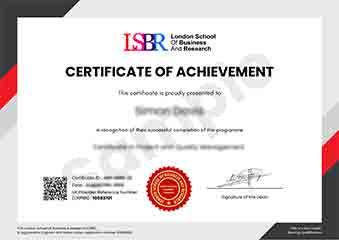
Sample Certificate
Preview the certificate you'll receive upon successful completion of this program.
Get Free Course Info
Enter your email and we'll send you the full course details, curriculum, and pricing information.
Is Your Employer Paying?
Many employers cover the cost of professional development. Request a corporate invoice and we'll handle everything — from enrolment to certification.
Trusted by 2,500+ Companies
From startups to Fortune 500 companies across 180+ countries.
What People Say About Us
Hear from our students about their experience with the Executive Development Programme in Keyboard Navigation: Essential for Accessible Design at LSBR School of Professional Development.
James Thompson
United Kingdom"The course provided comprehensive and well-structured content that significantly enhanced my understanding of keyboard navigation principles, which are crucial for designing accessible digital products. Gaining these practical skills has not only improved my professional toolkit but also opened up new career opportunities in the field of user experience design."
Ryan MacLeod
Canada"This course has been instrumental in enhancing my ability to design accessible interfaces, making my skills highly relevant in the tech industry. It has opened up new career opportunities and allowed me to contribute more effectively to projects that prioritize user accessibility."
Arjun Patel
India"The course structure was well-organized, providing a clear pathway from basic keyboard navigation techniques to advanced accessible design strategies, which significantly enhanced my understanding and practical skills in creating user-friendly interfaces. The comprehensive content and real-world applications made the learning process engaging and directly applicable to my professional growth in the tech industry."
12 people are viewing this course right now