
Executive Development Programme in Screenshots for Accessibility: Ensuring Inclusivity
This programme enhances leadership skills to ensure digital content is accessible, promoting inclusivity and broadening reach.
Executive Development Programme in Screenshots for Accessibility: Ensuring Inclusivity
Programme Overview
The 'Executive Development Programme in Screenshots for Accessibility: Ensuring Inclusivity' is tailored for professionals working in technology, design, and user experience fields who seek to enhance their ability to create accessible content. This program is designed for executives, product managers, designers, and developers aiming to integrate accessibility into their work practices, ensuring that their products and services are inclusive and usable by people with various disabilities.
Participants will develop key skills in creating high-quality, accessible screenshots, including understanding the technical requirements for accessibility, such as color contrast and alt text, and mastering tools and techniques for generating and editing accessible images. They will also learn about the importance of accessibility in user experience design, the legal and ethical implications of accessibility, and how to integrate these practices into their daily work. By the end of the program, learners will be able to create and review accessible screenshots that meet regulatory standards and enhance user satisfaction.
The programme will have a significant impact on participants' careers, as they will be better equipped to lead and influence accessibility practices within their organizations. Graduates will be able to advocate for and implement inclusive design practices, contributing to a more accessible digital environment. This not only enhances user experience but also supports compliance with accessibility regulations, potentially leading to increased market share and a stronger brand reputation.
What You'll Learn
The Executive Development Programme in Screenshots for Accessibility: Ensuring Inclusivity is a cutting-edge initiative designed to empower professionals with the skills to enhance digital accessibility through visual communication. This program is essential for those committed to creating inclusive digital environments that cater to users with various disabilities. Participants will learn how to effectively use screenshots to communicate complex information clearly and accessibly, ensuring that all users can interact with digital content seamlessly.
Key topics include the principles of accessibility design, effective use of visual elements, and creating accessible documentation. The curriculum is practical, with hands-on workshops that guide learners through the process of creating high-quality, accessible screenshots. By the end of the program, graduates will be equipped to produce clear, accessible visual materials that enhance user experience across various digital platforms.
This program opens doors to diverse career opportunities in the tech, education, and accessibility sectors. Graduates can apply their skills to improve digital products, support educational content, and contribute to the broader mission of digital inclusivity. Whether aiming to advance in their current roles or transition to new positions, participants will gain valuable expertise that enhances their professional profiles and contributes to a more inclusive digital landscape.
Programme Highlights
Industry-Aligned Curriculum
Developed with industry leaders to ensure practical, job-ready skills valued by employers worldwide.
Globally Recognised Certificate
Recognised by employers across 180+ countries as a mark of professional excellence.
Flexible Online Learning
Study at your own pace with lifetime access to all course materials and updates.
Instant Access
Start learning immediately — no application process or waiting period required.
Constantly Updated Content
Stay ahead with the latest industry trends, best practices, and emerging insights.
Career Advancement
87% of graduates report measurable career progression within 6 months of completion.
Topics Covered
- 1. Introduction to Accessibility in Screenshots: Learners will explore the importance of accessibility in screenshots and understand foundational concepts such as color contrast, font size, and alt text. They will gain skills in creating accessible screenshots using various tools.
- 2. Compliance and Standards for Accessibility: This module delves into accessibility standards such as WCAG and ARIA, and how they apply to screenshots. Learners will learn to ensure their screenshots comply with these standards and understand the legal and ethical implications of non-compliance.
- 3. Advanced Techniques for Creating Accessible Screenshots: Focusing on advanced techniques, learners will study methods for enhancing accessibility in screenshots, including using descriptive titles and captions, and optimizing images for screen readers.
- 4. Customizing Accessibility Settings in Design Tools: This module covers how to customize settings in popular design tools to enhance accessibility. Learners will practice configuring tools to meet accessibility requirements and understand the impact of these settings on the final product.
- 5. Inclusive Design Principles for Screenshots: Learners will study inclusive design principles and apply them to the creation of accessible screenshots. They will gain skills in designing for a diverse audience and understanding user needs.
- 6. Testing and Validation of Accessible Screenshots: This module covers various testing methods to validate the accessibility of screenshots. Learners will practice using automated tools and manual methods to ensure their work meets accessibility criteria.
- 7. Accessibility in Multi-Platform Environments: Focusing on real-world applications, learners will explore how to ensure accessibility in screenshots across multiple platforms, including web, mobile, and print. They will learn strategies for maintaining consistency and accessibility across different environments.
- 8. Case Studies and Best Practices for Accessibility in Screenshots: Through detailed case studies and best practices, learners will gain insights into successful implementations of accessible screenshots in various industries. They will analyze real-world examples and learn from experienced professionals.
- 9. Emerging Trends in Accessibility Technology: This module keeps learners updated on the latest trends and technologies in accessibility. Learners will explore new tools and methods for enhancing the accessibility of screenshots and understand how these trends are shaping the future of accessibility.
- 10. Leadership and Advocacy for Accessibility: Focusing on leadership skills, learners will learn how to advocate for accessibility within their organizations and lead initiatives to promote accessible practices. They will gain skills in communication, collaboration, and influencing decision-making processes.
Everything You Get With This Programme
Key Facts
Audience: Professionals in tech, design, accessibility
Prerequisites: Basic knowledge of digital products
Outcomes: Enhanced skills in accessibility, inclusive designs
Ready to Advance Your Career?
Join thousands of professionals who have transformed their careers with LSBR.
Enroll Now — $199Why This Course
Enhanced Inclusivity Skills: This program equips professionals with comprehensive knowledge on how to design and develop accessible content. By mastering these skills, individuals can significantly improve the accessibility of their work, ensuring that everyone, regardless of ability, can access and benefit from their creations. This not only enhances user engagement but also aligns with growing industry standards and legal requirements.
Career Advancement Opportunities: The skills acquired through this program are highly sought after in the tech and creative industries. Participants will be well-prepared to tackle challenges in digital accessibility, making them invaluable assets to their teams. This can lead to career advancements, including roles focused on accessibility leadership or user experience design.
Practical Application of Knowledge: The program includes hands-on training and real-world case studies, allowing professionals to apply theoretical knowledge in practical scenarios. This practical experience is crucial for developing a deep understanding of accessibility principles and their real-world implications, enhancing one's ability to implement accessible solutions effectively.
Estimated Completion
3-4 Weeks
Path to Certification
1. Enroll
Sign up and get instant access to all course materials.
2. Learn
Study at your own pace with expert-designed content.
3. Complete
Finish the programme in as little as 3-4 weeks.
4. Get Certified
Receive your industry-recognised certificate from LSBR.
Join Our Global Alumni Network
0
Graduates +
0
Career Growth %
0
Salary Increase %
0
Countries +
Course Brochure
Download our comprehensive course brochure with all details
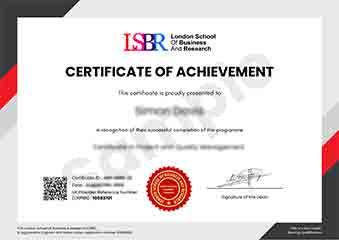
Sample Certificate
Preview the certificate you'll receive upon successful completion of this program.
Get Free Course Info
Enter your email and we'll send you the full course details, curriculum, and pricing information.
Is Your Employer Paying?
Many employers cover the cost of professional development. Request a corporate invoice and we'll handle everything — from enrolment to certification.
Trusted by 2,500+ Companies
From startups to Fortune 500 companies across 180+ countries.
What People Say About Us
Hear from our students about their experience with the Executive Development Programme in Screenshots for Accessibility: Ensuring Inclusivity at LSBR School of Professional Development.
Oliver Davies
United Kingdom"The course content is incredibly thorough and well-researched, providing a solid foundation in designing accessible screenshots. I've gained practical skills that will undoubtedly enhance my ability to create inclusive digital products, which is incredibly valuable in today's tech industry."
Kai Wen Ng
Singapore"This course has been incredibly valuable in enhancing my ability to create accessible screenshots, which is becoming increasingly important in my role. It has not only improved my technical skills but also opened up new opportunities for collaboration with diverse teams, ensuring that our projects reach a wider audience."
Mei Ling Wong
Singapore"The course structure is well-organized, providing a clear path from basic principles to advanced techniques in accessibility, which has significantly enhanced my understanding and approach to creating inclusive screenshots. The comprehensive content and real-world applications have not only broadened my knowledge but also equipped me with practical skills to improve accessibility in my projects."
12 people are viewing this course right now