
Executive Development Programme in Team Collaboration with Google Workspace
Strengthen your team collaboration with google workspace capabilities with expert guidance. Develop proficiency in critical areas.
Executive Development Programme in Team Collaboration with Google Workspace
Programme Overview
The Executive Development Programme in Team Collaboration with Google Workspace is a comprehensive initiative designed for senior executives and team leaders aiming to enhance their leadership and collaboration skills using Google Workspace tools. This program equips participants with the strategic insights and practical skills needed to optimize team performance and foster a collaborative culture within their organizations. Participants will learn to leverage advanced features of Google Workspace, including Gmail, Google Drive, Google Meet, and Google Workspace Admin Console, to streamline workflows, improve communication, and boost productivity.
Key skills and knowledge developed in this program include mastering the integration of Google Workspace tools for seamless team collaboration, understanding how to set up and manage a secure and efficient Google Workspace environment, and learning best practices for digital communication and project management. Participants will also gain proficiency in using Google Workspace for real-time collaboration, enhancing virtual meeting effectiveness, and ensuring data security and compliance.
This program significantly impacts career progression by enabling participants to lead more effective teams, drive innovation, and meet organizational goals more efficiently. Graduates of the program are better equipped to manage remote and hybrid work environments, leading to enhanced job performance and the ability to scale successful collaboration strategies across their organizations.
What You'll Learn
The Executive Development Programme in Team Collaboration with Google Workspace is designed to empower business leaders with the skills needed to enhance team performance and drive organizational success. This comprehensive programme leverages the robust features of Google Workspace, including Google Docs, Sheets, and Meet, to foster effective communication, streamline workflows, and boost productivity. Participants will delve into key topics such as digital collaboration strategies, virtual team management, and data-driven decision making, all tailored to the modern workplace.
Through interactive modules, hands-on workshops, and real-world case studies, participants will gain practical insights and tools to implement these strategies in their organizations. The programme also offers personalized coaching sessions to help leaders apply these skills effectively, ensuring long-term impact on team dynamics and project outcomes.
Graduates of this programme will be well-equipped to lead high-performing teams, innovate in their roles, and advance their careers. They will be eligible for leadership positions that require strong team collaboration skills, such as project management, organizational leadership, and strategic planning roles. With the growing importance of digital collaboration in today’s business landscape, this programme positions participants as industry leaders, ready to navigate the complexities of modern team management and contribute to organizational success.
Programme Highlights
Industry-Aligned Curriculum
Developed with industry leaders to ensure practical, job-ready skills valued by employers worldwide.
Globally Recognised Certificate
Recognised by employers across 180+ countries as a mark of professional excellence.
Flexible Online Learning
Study at your own pace with lifetime access to all course materials and updates.
Instant Access
Start learning immediately — no application process or waiting period required.
Constantly Updated Content
Stay ahead with the latest industry trends, best practices, and emerging insights.
Career Advancement
87% of graduates report measurable career progression within 6 months of completion.
Topics Covered
- 1. Introduction to Google Workspace: Learners will understand the core components of Google Workspace and its role in modern team collaboration. They will gain practical skills in setting up accounts, managing user permissions, and accessing basic tools.
- 2. Essential Gmail and Calendar Management: This module focuses on mastering Gmail and Calendar features to enhance communication and scheduling efficiency. Learners will learn to use advanced filters, automate tasks, and integrate calendars with other applications.
- 3. Google Drive and Shared Workspace: Learners will explore Google Drive for file management and collaboration. They will learn to create and manage shared folders, use version control, and collaborate on documents in real-time.
- 4. Google Docs, Sheets, and Slides Fundamentals: This module covers the basics of using Google Docs, Sheets, and Slides for document creation, data analysis, and presentations. Learners will develop skills in formatting, collaboration, and data visualization.
- 5. Advanced Google Workspace Collaboration Techniques: Learners will delve into advanced collaboration strategies using Google Workspace tools. They will learn to use comments, suggestions, and review features to enhance team collaboration.
- 6. Google Meet for Virtual Meetings: This module focuses on using Google Meet for effective virtual meetings. Learners will learn to set up meetings, manage participants, and use breakout rooms and recording features.
- 7. Google Workspace for Project Management: Learners will explore how to use Google Workspace tools for project management. They will learn to create project plans, track progress, and manage tasks and deadlines.
- 8. Integrating Google Workspace with Other Tools: This module covers integrating Google Workspace with other business tools and applications. Learners will learn to use APIs and third-party applications to enhance their workflow and productivity.
- 9. Security and Privacy in Google Workspace: Learners will understand the security and privacy features of Google Workspace. They will learn to implement best practices for data protection and manage user privacy settings.
- 10. Advanced Customization and Automation with Google Workspace: This module focuses on advanced customization and automation techniques using Google Workspace. Learners will learn to use Google Apps Script for task automation and advanced integration.
Everything You Get With This Programme
Key Facts
Audience: Mid-to-senior level executives
Prerequisites: Basic knowledge of Google Workspace
Outcomes: Enhanced collaboration skills, improved team productivity
Ready to Advance Your Career?
Join thousands of professionals who have transformed their careers with LSBR.
Enroll Now — $199Why This Course
Enhance Collaboration Efficiency: The 'Executive Development Programme in Team Collaboration with Google Workspace' equips professionals with advanced tools and best practices for enhancing team collaboration. Through hands-on training with Google Workspace, participants learn to use features like Google Docs, Sheets, and Meet more effectively, leading to improved productivity and streamlined workflows.
Foster Digital Leadership Skills: This program not only focuses on technical skills but also on digital leadership. Participants learn how to lead virtual teams, manage remote work, and leverage digital platforms to drive business objectives. These skills are crucial in today’s remote and hybrid work environments, positioning professionals as key leaders in their organizations.
Boost Personal and Professional Growth: By participating in this program, executives can deepen their understanding of effective team dynamics and communication strategies. The program offers insights into promoting a collaborative culture, which can significantly contribute to both personal development and career advancement. Leaders who excel in team collaboration are often seen as valuable assets, opening up opportunities for higher positions and greater responsibility.
Estimated Completion
3-4 Weeks
Path to Certification
1. Enroll
Sign up and get instant access to all course materials.
2. Learn
Study at your own pace with expert-designed content.
3. Complete
Finish the programme in as little as 3-4 weeks.
4. Get Certified
Receive your industry-recognised certificate from LSBR.
Join Our Global Alumni Network
0
Graduates +
0
Career Growth %
0
Salary Increase %
0
Countries +
Course Brochure
Download our comprehensive course brochure with all details
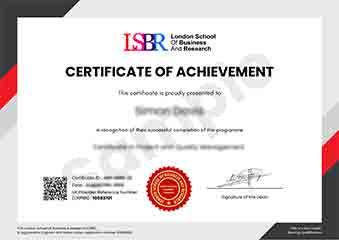
Sample Certificate
Preview the certificate you'll receive upon successful completion of this program.
Get Free Course Info
Enter your email and we'll send you the full course details, curriculum, and pricing information.
Is Your Employer Paying?
Many employers cover the cost of professional development. Request a corporate invoice and we'll handle everything — from enrolment to certification.
Trusted by 2,500+ Companies
From startups to Fortune 500 companies across 180+ countries.
What People Say About Us
Hear from our students about their experience with the Executive Development Programme in Team Collaboration with Google Workspace at LSBR School of Professional Development.
James Thompson
United Kingdom"The course content was incredibly well-structured, providing deep insights into team collaboration strategies that are directly applicable in real-world scenarios. Gaining proficiency in Google Workspace tools has significantly enhanced my ability to manage projects and collaborate effectively with my team, which is already showing positive impacts on my career."
Isabella Dubois
Canada"The Executive Development Programme in Team Collaboration with Google Workspace has been incredibly impactful, equipping me with practical tools and strategies that have directly enhanced my team's productivity and communication. This has not only improved our project outcomes but also opened up new career opportunities by highlighting my proficiency in modern collaboration technologies."
Greta Fischer
Germany"The course structure was meticulously organized, providing a seamless transition from theoretical concepts to practical applications in team collaboration. The comprehensive content, enhanced by real-world examples using Google Workspace, significantly boosted my professional skills and understanding of effective team collaboration strategies."
12 people are viewing this course right now