
Executive Development Programme in Word Spacing for Accessibility: Designing for All Users
This programme enhances word spacing to improve accessibility, ensuring content is readable and usable for all users, including those with visual impairments.
Executive Development Programme in Word Spacing for Accessibility: Designing for All Users
Programme Overview
The Executive Development Programme in Word Spacing for Accessibility: Designing for All Users is a comprehensive initiative aimed at enhancing the digital experiences of individuals with various abilities. This program is tailored for professionals in the technology and design sectors, including software developers, UX/UI designers, accessibility experts, and product managers who aim to create more inclusive digital products and services.
Participants in this program will develop key skills in inclusive design practices, focusing on the strategic use of word spacing to improve readability and overall user experience. They will learn how to apply accessibility guidelines, such as WCAG , to ensure that digital content is accessible to all users. Additionally, the curriculum covers the psychological and physiological impacts of word spacing on different cognitive and visual abilities, enabling learners to design more empathetic and effective user interfaces.
The programme will significantly impact participants' careers by equipping them with the knowledge and skills to lead accessibility initiatives, enhance user engagement, and contribute to the broader goal of digital inclusivity. Graduates of this programme will be well-prepared to advocate for and implement accessible design practices, thereby shaping the future of technology to be more inclusive for all users.
What You'll Learn
The Executive Development Programme in Word Spacing for Accessibility: Designing for All Users is a transformative initiative designed to empower executives and professionals with the skills to enhance digital accessibility through thoughtful word spacing design. This program, a unique blend of theoretical knowledge and practical application, focuses on the critical role of word spacing in creating inclusive digital experiences for all users, including those with visual impairments.
Key topics covered include the science behind optimal word spacing, the impact of poorly spaced text on readability and comprehension, and the use of advanced design tools to implement accessible practices. Participants will learn about accessible design principles, user-centered design methodologies, and the latest standards and guidelines for digital accessibility.
Upon completion, graduates will be equipped to design, develop, and review content that is not only visually appealing but also accessible to a diverse range of users. They will gain the ability to collaborate effectively with designers, developers, and content creators to ensure that digital products and services meet the needs of all users.
The program opens doors to a variety of career opportunities, including roles as accessibility consultants, UX/UI designers, and digital product managers. Graduates will also be prepared to lead initiatives that promote digital equity and inclusion within their organizations, contributing to a more accessible and equitable digital world.
Programme Highlights
Industry-Aligned Curriculum
Developed with industry leaders to ensure practical, job-ready skills valued by employers worldwide.
Globally Recognised Certificate
Recognised by employers across 180+ countries as a mark of professional excellence.
Flexible Online Learning
Study at your own pace with lifetime access to all course materials and updates.
Instant Access
Start learning immediately — no application process or waiting period required.
Constantly Updated Content
Stay ahead with the latest industry trends, best practices, and emerging insights.
Career Advancement
87% of graduates report measurable career progression within 6 months of completion.
Topics Covered
- 1. Introduction to Accessibility and Word Spacing: Learners will study the importance of accessibility in digital communications and understand the role of word spacing in enhancing readability. They will gain foundational knowledge on accessibility standards and practical skills in analyzing text for readability.
- 2. Foundations of Typography and Readability: This module covers the basics of typography, focusing on how font choice and spacing impact readability. Learners will develop skills in selecting appropriate fonts and font sizes for different user groups.
- 3. Advanced Techniques in Word Spacing: Learners will explore advanced techniques for adjusting word spacing to improve text clarity and user experience. They will apply these techniques to real-world scenarios to enhance the accessibility of digital content.
- 4. Understanding Cognitive Accessibility: This module delves into the cognitive aspects of accessibility, focusing on how word spacing can support users with cognitive disabilities. Learners will learn to design content that is more accessible and inclusive.
- 5. User-Centric Design for Accessibility: Learners will engage in user testing and feedback sessions to gain insights into how different users perceive and interact with text. They will apply these insights to refine their design approaches.
- 6. Legal and Ethical Considerations in Accessibility: This module covers the legal and ethical responsibilities of designers in ensuring accessibility. Learners will understand the implications of their design choices and develop a code of conduct for inclusive design.
- 7. Designing for Multilingual Users: Learners will study the challenges and best practices for designing accessible content for multilingual users. They will develop skills in adapting their design strategies to accommodate various linguistic backgrounds.
- 8. Accessibility Tools and Technologies: This module introduces learners to various tools and technologies that can be used to enhance the accessibility of digital content. They will learn to select and integrate these tools effectively into their design processes.
- 9. Case Studies in Accessibility: Learners will analyze case studies of successful and unsuccessful accessibility implementations in word spacing. They will discuss the lessons learned and apply them to their own design projects.
- 10. Peer Review and Feedback: In this final module, learners will present their projects for peer review and receive constructive feedback. They will learn to provide and receive feedback effectively, improving their design skills and understanding of accessibility.
Everything You Get With This Programme
Key Facts
Audience: Professionals in user experience design
Prerequisites: Basic knowledge of accessibility principles
Outcomes: Enhanced skills in inclusive design, improved word spacing techniques
Ready to Advance Your Career?
Join thousands of professionals who have transformed their careers with LSBR.
Enroll Now — $199Why This Course
Enhance Inclusivity: By participating in the Executive Development Programme in Word Spacing for Accessibility, professionals can significantly improve the accessibility of digital content. This training equips them with the skills to design documents that are easier for individuals with visual impairments to read and understand. For instance, optimizing word spacing can reduce strain on users who may have difficulty with small text or specific types of visual impairments.
Boost Career Advancement: As digital accessibility becomes a critical aspect of user experience design, professionals with specialized knowledge in this area are in high demand. Completing this program can position them as leaders in accessibility practices within their organizations, potentially opening up opportunities for advancement into roles focused on digital inclusion.
Strengthen User Experience: The programme not only focuses on accessibility but also on overall user experience. Participants learn how to create content that is not only accessible to a wider audience but also engaging and user-friendly. This dual focus on accessibility and user experience can lead to more effective communication and better customer satisfaction, enhancing the professional’s value and impact in their role.
Estimated Completion
3-4 Weeks
Path to Certification
1. Enroll
Sign up and get instant access to all course materials.
2. Learn
Study at your own pace with expert-designed content.
3. Complete
Finish the programme in as little as 3-4 weeks.
4. Get Certified
Receive your industry-recognised certificate from LSBR.
Join Our Global Alumni Network
0
Graduates +
0
Career Growth %
0
Salary Increase %
0
Countries +
Course Brochure
Download our comprehensive course brochure with all details
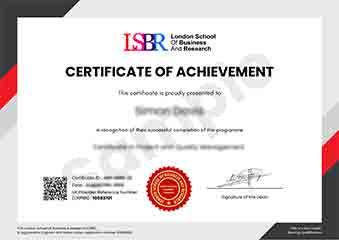
Sample Certificate
Preview the certificate you'll receive upon successful completion of this program.
Get Free Course Info
Enter your email and we'll send you the full course details, curriculum, and pricing information.
Is Your Employer Paying?
Many employers cover the cost of professional development. Request a corporate invoice and we'll handle everything — from enrolment to certification.
Trusted by 2,500+ Companies
From startups to Fortune 500 companies across 180+ countries.
What People Say About Us
Hear from our students about their experience with the Executive Development Programme in Word Spacing for Accessibility: Designing for All Users at LSBR School of Professional Development.
Charlotte Williams
United Kingdom"The course content was incredibly detailed and well-structured, providing a deep understanding of how word spacing affects accessibility. I gained practical skills that have already improved my ability to design accessible documents, which is incredibly valuable for my career."
Mei Ling Wong
Singapore"This course has significantly enhanced my ability to design accessible documents, making my work more relevant in the tech industry. It has opened up new opportunities for me to contribute to projects that truly make a difference in users' lives."
Greta Fischer
Germany"The course structure was meticulously organized, making it easy to navigate through complex concepts of word spacing and accessibility. The comprehensive content provided not only theoretical knowledge but also practical insights into real-world applications, significantly enhancing my ability to design accessible documents."
12 people are viewing this course right now