
Postgraduate Certificate in Visualizing Git Commands: Poster Design for Efficient Workflows
This certificate teaches efficient poster design for visualizing Git commands, enhancing workflow and collaboration among developers.
Postgraduate Certificate in Visualizing Git Commands: Poster Design for Efficient Workflows
Programme Overview
The Postgraduate Certificate in Visualizing Git Commands: Poster Design for Efficient Workflows is tailored for professionals and advanced learners seeking to enhance their Git skills through visual communication. This program focuses on the integration of Git command visualization techniques to create effective and engaging posters, which can be used to streamline collaborative workflows and improve project management. Participants will learn to interpret and represent complex Git operations and repository structures through innovative design, ensuring that technical information is accessible and understandable to both technical and non-technical stakeholders.
Key skills and knowledge developed in this program include the ability to execute Git commands proficiently, understand version control concepts, and translate these into visually compelling poster designs. Learners will master the use of various design tools and software, as well as gain proficiency in creating clear and concise visual representations of Git operations. They will also develop strong presentation and communication skills, essential for explaining technical concepts to diverse audiences.
Upon completion, participants will be well-equipped to enhance their professional skill set, making them valuable contributors in software development teams. The program's focus on practical application and visual communication will prepare learners for roles that require a blend of technical expertise and creative problem-solving. Graduates can expect to see improved project outcomes, enhanced team collaboration, and a more efficient workflow, directly contributing to their career advancement in the fields of software development, DevOps, and technical communication.
What You'll Learn
The Postgraduate Certificate in Visualizing Git Commands: Poster Design for Efficient Workflows is a cutting-edge program designed to empower professionals in software development and project management to optimize their workflows through visual communication. This program equips participants with the skills to design and interpret posters that clearly illustrate complex Git commands and workflows, enhancing team collaboration and project efficiency.
Key topics include the fundamentals of Git, visual design principles, and practical applications of poster design in software development. Participants learn to create compelling visual representations of Git commands, branching strategies, and merging processes, which can be used in team meetings, training sessions, and documentation. By mastering these skills, graduates will be able to:
Design and implement effective Git poster systems that streamline communication.
Enhance team understanding of version control practices, reducing errors and improving project outcomes.
Develop visual aids that serve as educational tools for both new and experienced team members.
Upon completion, graduates will be well-prepared for roles that demand strong visual communication skills, such as software development managers, technical trainers, and project leaders. They will also be able to contribute to a more visually literate tech industry, fostering a culture of clarity and efficiency in software development teams.
Programme Highlights
Industry-Aligned Curriculum
Developed with industry leaders to ensure practical, job-ready skills valued by employers worldwide.
Globally Recognised Certificate
Recognised by employers across 180+ countries as a mark of professional excellence.
Flexible Online Learning
Study at your own pace with lifetime access to all course materials and updates.
Instant Access
Start learning immediately — no application process or waiting period required.
Constantly Updated Content
Stay ahead with the latest industry trends, best practices, and emerging insights.
Career Advancement
87% of graduates report measurable career progression within 6 months of completion.
Topics Covered
- 1. Introduction to Git and Version Control: Learners will study the basics of Git and version control systems, understanding how they function and why they are essential for software development. They will gain foundational skills in using Git commands and setting up repositories.
- 2. Git Workflow Fundamentals: This module covers essential Git workflows, including branching, merging, and conflict resolution. Learners will develop a deep understanding of how to manage code changes efficiently and collaboratively.
- 3. Advanced Git Commands for Efficient Workflow: Learners will explore advanced Git commands and techniques to streamline their workflow, such as rebasing, interactive rebasing, and specifying merge strategies.
- 4. Visualizing Git History with Graphical Tools: This module introduces tools like GitX, GitKraken, and TortoiseGit that provide visual representations of Git history. Learners will learn how to use these tools to better understand and communicate Git history.
- 5. Poster Design Basics for Technical Content: Learners will be introduced to the principles of effective poster design, focusing on creating clear and engaging visual representations of Git concepts and workflows.
- 6. Designing Posters for Git Commands: Building on the basics, this module guides learners through designing posters that visually represent specific Git commands and their effects, helping others understand complex operations at a glance.
- 7. Poster Design for Collaboration and Communication: This module focuses on designing posters that facilitate collaboration and communication among team members, emphasizing the importance of clear and concise visual storytelling.
- 8. Advanced Poster Design Techniques: Learners will explore advanced design techniques, such as using color theory, typography, and layouts to enhance the effectiveness of their Git-related posters and visualizations.
- 9. Case Studies in Git Visualization: Through real-world case studies, learners will analyze successful and unsuccessful Git visualization projects, learning from examples to refine their own design approach.
- 10. Final Poster Project and Presentation: Learners will create a comprehensive Git command visualization poster as their final project, applying all learned concepts and receiving feedback from peers and instructors.
Everything You Get With This Programme
Key Facts
Audience: IT professionals, software developers
Prerequisites: Basic Git knowledge
Outcomes: Master Git visualization, enhance workflow efficiency
Ready to Advance Your Career?
Join thousands of professionals who have transformed their careers with LSBR.
Enroll Now — $149Why This Course
Enhance Visual Communication Skills: This certificate program equips professionals with the ability to design posters that effectively communicate complex Git commands and workflows. This skill is invaluable in team settings, where clear visual aids can significantly improve collaboration and reduce misunderstandings.
Boost Career Flexibility: Acquiring specialized skills in visualizing Git commands can open new career opportunities in software development, project management, and technical documentation. The ability to create professional and understandable posters can set you apart in job applications and interviews.
Improve Project Outcomes: By mastering techniques for designing efficient Git poster workflows, professionals can streamline their project management processes. This can lead to faster development cycles, reduced bugs, and overall improved project outcomes, contributing to the success of the organization.
Promote Learning and Retention: Visualizing Git commands through posters can enhance understanding and retention of complex concepts. This skill not only benefits the individual but also the broader team, fostering a more knowledgeable and productive work environment.
Estimated Completion
3-4 Weeks
Path to Certification
1. Enroll
Sign up and get instant access to all course materials.
2. Learn
Study at your own pace with expert-designed content.
3. Complete
Finish the programme in as little as 3-4 weeks.
4. Get Certified
Receive your industry-recognised certificate from LSBR.
Join Our Global Alumni Network
0
Graduates +
0
Career Growth %
0
Salary Increase %
0
Countries +
Course Brochure
Download our comprehensive course brochure with all details
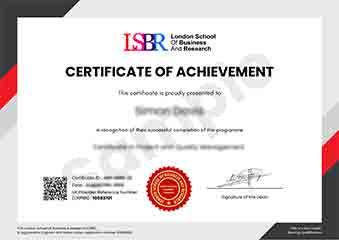
Sample Certificate
Preview the certificate you'll receive upon successful completion of this program.
Get Free Course Info
Enter your email and we'll send you the full course details, curriculum, and pricing information.
Is Your Employer Paying?
Many employers cover the cost of professional development. Request a corporate invoice and we'll handle everything — from enrolment to certification.
Trusted by 2,500+ Companies
From startups to Fortune 500 companies across 180+ countries.
What People Say About Us
Hear from our students about their experience with the Postgraduate Certificate in Visualizing Git Commands: Poster Design for Efficient Workflows at LSBR School of Professional Development.
Oliver Davies
United Kingdom"The course content is incredibly thorough and well-structured, providing a solid foundation in visualizing Git commands through poster design. I've gained practical skills that have significantly improved my ability to communicate complex Git workflows visually, which is incredibly beneficial for both my current projects and future career prospects."
Sophie Brown
United Kingdom"This course has significantly enhanced my ability to communicate complex Git commands through visually appealing posters, making it easier for my team to understand and follow our version control workflows. It has not only improved my visual design skills but also boosted my career prospects in software development by providing me with a unique skill set that is highly valued in the industry."
Mei Ling Wong
Singapore"The course structure is well-organized, providing a clear path from understanding basic Git commands to designing posters that enhance workflow efficiency. The comprehensive content not only covers essential Git concepts but also demonstrates how to apply them in practical, real-world scenarios, significantly boosting my professional skills."
12 people are viewing this course right now