
Professional Certificate in Animating UI Elements: Best Practices and Tools
Elevate UI animation skills with best practices and essential tools, enhancing user experience and professional portfolio.
Professional Certificate in Animating UI Elements: Best Practices and Tools
Programme Overview
The 'Professional Certificate in Animating UI Elements: Best Practices and Tools' is designed to equip professionals and enthusiasts with the skills necessary to enhance user experience through effective animation techniques in user interface design. This program is ideal for UX/UI designers, front-end web developers, and anyone in the digital product creation field looking to master the art of animation in digital interfaces. It covers a range of topics including the principles of animation, the psychology behind user engagement, and the application of these principles in various digital platforms, from mobile applications to web interfaces.
Participants in this program will develop a comprehensive understanding of best practices in UI animation, including timing, easing, and the use of motion paths. They will also learn how to utilize industry-standard tools such as Adobe After Effects, Figma, and Lottie to create and integrate animations into their designs. By the end of the program, learners will be proficient in creating seamless and engaging animations that enhance the functionality and user experience of digital interfaces.
The career impact of this program is significant, as learners will be well-prepared to take on more complex design projects and contribute to the development of more user-centric digital products. The skills acquired will not only enhance their existing portfolios but also open up new opportunities in the field of UX/UI design, web development, and digital product management. With a strong foundation in UI animation, professionals can lead projects that focus on improving user satisfaction and engagement, leading to more successful product launches and higher user retention rates.
What You'll Learn
Explore the dynamic world of user interface (UI) animation with the 'Professional Certificate in Animating UI Elements: Best Practices and Tools.' This comprehensive program equips you with the latest techniques and industry-standard tools to enhance user engagement and functionality in digital products. Through hands-on training, you will master key topics such as motion design principles, responsive and adaptive animations, and the integration of animations with user experience (UX) strategies.
The curriculum includes practical projects that allow you to apply your skills in real-world scenarios, ensuring you are well-prepared to create seamless, engaging, and intuitive UI animations. Graduates can contribute to a wide range of projects, from mobile app interfaces to web applications, and can collaborate with designers, developers, and product managers to deliver high-quality user experiences.
This certificate opens doors to diverse career paths, including roles as UI animation specialists, motion designers, and UX animators. Whether you are a seasoned professional looking to expand your skill set or a newcomer eager to enter the digital design field, this program provides the knowledge and practical skills needed to succeed. Join us and transform static UI elements into captivating, interactive experiences.
Programme Highlights
Industry-Aligned Curriculum
Developed with industry leaders to ensure practical, job-ready skills valued by employers worldwide.
Globally Recognised Certificate
Recognised by employers across 180+ countries as a mark of professional excellence.
Flexible Online Learning
Study at your own pace with lifetime access to all course materials and updates.
Instant Access
Start learning immediately — no application process or waiting period required.
Constantly Updated Content
Stay ahead with the latest industry trends, best practices, and emerging insights.
Career Advancement
87% of graduates report measurable career progression within 6 months of completion.
Topics Covered
- 1. Introduction to UI Animation Fundamentals: Learners will explore the basics of UI animation, including key principles and terminology. They will gain foundational skills in creating smooth and engaging animations.
- 2. Animation Principles and Techniques: This module covers essential animation principles such as timing, easing, and physics-based animation. Learners will practice applying these techniques to enhance UI interactions.
- 3. Working with User Interface Components: Learners will study various UI components and how to animate them effectively. Practical skills include animating buttons, sliders, and pop-ups.
- 4. Storyboarding and Planning Animations: This module teaches how to plan and storyboard animations before implementation. Learners will develop skills in creating clear and effective plans for their animations.
- 5. Animation Tools and Software: An overview of popular animation tools used in UI design, such as Adobe After Effects, Figma, and Principle. Learners will learn how to use these tools to create animations.
- 6. Advanced Animation Techniques: Delving into advanced techniques like particle systems, complex easing curves, and dynamic interactions. Learners will become proficient in implementing these techniques in their projects.
- 7. Performance Optimization for Animations: Focuses on optimizing animations for better performance without compromising quality. Learners will learn strategies for reducing lag and improving user experience.
- 8. Testing and Feedback for Animations: This module covers the importance of testing animations and gathering feedback. Learners will practice conducting usability tests and refining their animations based on feedback.
- 9. Best Practices for UI Animations: Discusses best practices in UI animation design, including accessibility and user experience considerations. Learners will understand how to apply these practices in real-world scenarios.
- 10. Portfolio Development and Presentation: Learners will create a portfolio showcasing their best animations and learn how to effectively present their work to potential employers or clients.
Everything You Get With This Programme
Key Facts
Audience: UI/UX designers, developers
Prerequisites: Basic design or coding skills
Outcomes: Master UI animation techniques, select appropriate tools
Ready to Advance Your Career?
Join thousands of professionals who have transformed their careers with LSBR.
Enroll Now — $149Why This Course
Enhance Career Competitiveness: Acquiring a Professional Certificate in Animating UI Elements equips professionals with specialized skills that are in high demand across various industries, particularly in digital product design, web development, and user interface design. This certification can significantly boost one's resume and make them more attractive to potential employers who value expertise in creating engaging and interactive user experiences.
Master Best Practices and Tools: The course focuses on teaching industry-standard practices and tools used in animating user interface elements. By mastering these tools, such as Adobe After Effects, Figma, or Sketch, professionals can create more dynamic and responsive designs. This knowledge not only improves the aesthetic appeal of digital products but also enhances usability and user engagement.
Improve User Experience: Understanding how to animate UI elements effectively can lead to better user experiences. Animations can guide users through complex interfaces, highlight important features, and provide visual feedback. Professionals who can implement these techniques are better positioned to create intuitive and user-friendly interfaces that meet the needs of their target audience.
Stay Updated with Trends: The field of UI animation is constantly evolving with new trends and technologies. This certificate program keeps professionals updated with the latest industry trends and best practices. Staying current is crucial in the tech industry, as it allows professionals to innovate and adapt to new challenges and opportunities in the market.
Estimated Completion
3-4 Weeks
Path to Certification
1. Enroll
Sign up and get instant access to all course materials.
2. Learn
Study at your own pace with expert-designed content.
3. Complete
Finish the programme in as little as 3-4 weeks.
4. Get Certified
Receive your industry-recognised certificate from LSBR.
Join Our Global Alumni Network
0
Graduates +
0
Career Growth %
0
Salary Increase %
0
Countries +
Course Brochure
Download our comprehensive course brochure with all details
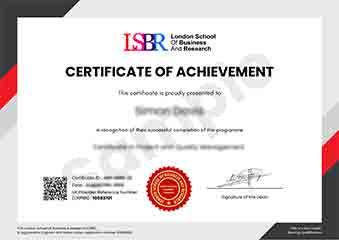
Sample Certificate
Preview the certificate you'll receive upon successful completion of this program.
Get Free Course Info
Enter your email and we'll send you the full course details, curriculum, and pricing information.
Is Your Employer Paying?
Many employers cover the cost of professional development. Request a corporate invoice and we'll handle everything — from enrolment to certification.
Trusted by 2,500+ Companies
From startups to Fortune 500 companies across 180+ countries.
What People Say About Us
Hear from our students about their experience with the Professional Certificate in Animating UI Elements: Best Practices and Tools at LSBR School of Professional Development.
Sophie Brown
United Kingdom"The course provided an in-depth look at the best practices and essential tools for animating UI elements, which significantly enhanced my ability to create more engaging and user-friendly interfaces. Gaining a deeper understanding of these techniques has already proven invaluable in my recent project, making the investment in this certificate well worth it."
James Thompson
United Kingdom"This course has been incredibly valuable in enhancing my ability to create seamless and engaging UI animations, directly applicable in my role as a UX designer. It has not only deepened my technical skills but also opened up new opportunities for me to take on more complex projects at work."
Anna Schmidt
Germany"The course structure is well-organized, providing a clear path from basic concepts to advanced techniques, which significantly enhances my understanding of animating UI elements. The comprehensive content and real-world applications have greatly contributed to my professional growth, equipping me with practical skills to improve user experience in digital products."
12 people are viewing this course right now