
Professional Certificate in Box Model Notations: Aligning Elements with Precision
Elevate your web design skills with this certificate, mastering box model notations to align elements precisely and enhance website aesthetics and functionality.
Professional Certificate in Box Model Notations: Aligning Elements with Precision
Programme Overview
The Professional Certificate in Box Model Notations: Aligning Elements with Precision is a comprehensive program designed for web developers, UI/UX designers, and digital media professionals who seek to enhance their skills in creating responsive and visually consistent web designs. This program delves into the intricacies of CSS box model notations, providing learners with a deep understanding of how to manipulate and align web elements with precision. Through hands-on projects and practical exercises, participants will learn to effectively use box model properties such as padding, margin, border, and content area to create layouts that are both aesthetically pleasing and functional across various devices and screen sizes.
Participants in this program will develop key skills in advanced CSS techniques, including responsive design principles, flexbox, grid layout, and cross-browser compatibility. They will also gain proficiency in using CSS preprocessors and frameworks to streamline their workflow and improve code maintainability. By the end of the course, learners will be adept at creating fluid and adaptable web designs that meet the exacting standards of modern web development.
This program has a significant impact on career advancement, equipping professionals with the latest tools and techniques to excel in their roles. Graduates will be better positioned to tackle complex design challenges, contribute to high-impact digital projects, and lead web development initiatives. The skills acquired will not only enhance their ability to deliver polished user interfaces but also open new opportunities for specialization in responsive web design, front-end development, and web user experience (UX) design.
What You'll Learn
The Professional Certificate in Box Model Notations: Aligning Elements with Precision is a comprehensive program designed to empower designers and developers with advanced skills in crafting visually stunning and functional user interfaces. This program delves into the intricacies of CSS box model notations, providing participants with a deep understanding of layout management, positioning, and responsive design techniques.
Key topics include the fundamentals of the box model, border-radius for rounded corners, and the use of flexbox and grid layouts for sophisticated alignment. Students will learn to manipulate margins, paddings, and dimensions with precision, ensuring that their designs are both aesthetically pleasing and user-friendly. The curriculum also emphasizes practical applications through real-world projects, enabling participants to apply their knowledge to create responsive web designs that adapt seamlessly across various devices.
By the end of the program, graduates will be able to confidently integrate advanced box model notations into their workflows, enhancing their ability to deliver high-quality web experiences. This certificate is highly valuable for professionals in web design, front-end development, and digital media, opening doors to career opportunities in web development, UI/UX design, and digital marketing roles. Graduates can expect to secure positions as web developers, UI/UX designers, or digital content managers, or advance in their existing roles by elevating their technical and design capabilities.
Programme Highlights
Industry-Aligned Curriculum
Developed with industry leaders to ensure practical, job-ready skills valued by employers worldwide.
Globally Recognised Certificate
Recognised by employers across 180+ countries as a mark of professional excellence.
Flexible Online Learning
Study at your own pace with lifetime access to all course materials and updates.
Instant Access
Start learning immediately — no application process or waiting period required.
Constantly Updated Content
Stay ahead with the latest industry trends, best practices, and emerging insights.
Career Advancement
87% of graduates report measurable career progression within 6 months of completion.
Topics Covered
- 1. Introduction to Box Model Notations: Learners will understand the basic principles of box model notations and their importance in web design. They will gain foundational knowledge on how to apply box model properties effectively.
- 2. Understanding Box Sizing: This module will delve into the different box sizing models and their impact on layout precision. Learners will learn to calculate and adjust box dimensions for accurate element placement.
- 3. Margins and Borders: Learners will study the properties of margins and borders, including their role in separating and styling boxes. Practical exercises will help them apply these concepts to improve layout aesthetics.
- 4. Padding and Content Boxes: This module focuses on padding and its role in controlling the space between the content and the border. Learners will gain hands-on experience in setting padding values to achieve desired content alignment and spacing.
- 5. Advanced Box Sizing Techniques: Building on foundational knowledge, this module explores advanced box sizing techniques and their applications. Learners will learn to use these techniques to create complex and responsive layouts.
- 6. Layout Adjustments and Flexibility: This module covers methods for adjusting and maintaining layout flexibility using box model notations. Learners will learn strategies to ensure layouts adapt to various screen sizes and content changes.
- 7. Box Model Notations in Responsive Design: Learners will delve into the use of box model notations in responsive web design. They will learn to apply these techniques to create flexible and adaptable layouts across different devices.
- 8. Advanced CSS Layout Techniques: This module introduces advanced CSS layout techniques that utilize box model notations. Learners will explore real-world applications and best practices for creating sophisticated and precise web layouts.
- 9. Debugging and Troubleshooting Box Model Issues: In this module, learners will learn how to identify and resolve common issues related to box model notations. Practical problem-solving skills will be developed to ensure layout accuracy and consistency.
- 10. Project: Implementing a Complex Layout: Learners will apply all the knowledge and skills acquired throughout the program by designing and implementing a complex, responsive web layout. This project will solidify their understanding of box model notations in real-world scenarios.
Everything You Get With This Programme
Key Facts
Audience: Web developers, designers
Prerequisites: Basic HTML/CSS knowledge
Outcomes: Proficient in box model, responsive layouts
Ready to Advance Your Career?
Join thousands of professionals who have transformed their careers with LSBR.
Enroll Now — $149Why This Course
Enhance Precision and Efficiency: Acquiring the Professional Certificate in Box Model Notations equips professionals with advanced knowledge of box model notations, enabling them to align web elements with greater precision. This skill streamlines the design process, reducing errors and improving the overall quality of web development projects.
Competitive Advantage: In today's competitive job market, possessing specialized knowledge can set professionals apart. The certificate demonstrates a deep understanding of web development frameworks and standards, making candidates more attractive to employers and enhancing their market value.
Career Advancement: Mastery of box model notations is crucial for roles such as front-end developers and web designers. This certificate can facilitate career progression by opening doors to more advanced positions or higher-paying roles, as it showcases a high level of technical proficiency and commitment to professional development.
Client Satisfaction: With the ability to align elements accurately, professionals can deliver projects that meet client expectations more consistently. This leads to better client satisfaction and can foster long-term client relationships, which are vital for professional success in the web development industry.
Estimated Completion
3-4 Weeks
Path to Certification
1. Enroll
Sign up and get instant access to all course materials.
2. Learn
Study at your own pace with expert-designed content.
3. Complete
Finish the programme in as little as 3-4 weeks.
4. Get Certified
Receive your industry-recognised certificate from LSBR.
Join Our Global Alumni Network
0
Graduates +
0
Career Growth %
0
Salary Increase %
0
Countries +
Course Brochure
Download our comprehensive course brochure with all details
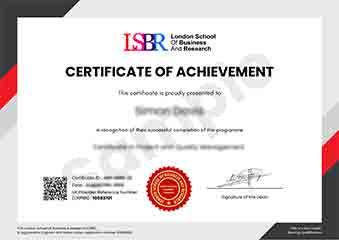
Sample Certificate
Preview the certificate you'll receive upon successful completion of this program.
Get Free Course Info
Enter your email and we'll send you the full course details, curriculum, and pricing information.
Is Your Employer Paying?
Many employers cover the cost of professional development. Request a corporate invoice and we'll handle everything — from enrolment to certification.
Trusted by 2,500+ Companies
From startups to Fortune 500 companies across 180+ countries.
What People Say About Us
Hear from our students about their experience with the Professional Certificate in Box Model Notations: Aligning Elements with Precision at LSBR School of Professional Development.
Oliver Davies
United Kingdom"The course content was incredibly detailed and well-structured, providing a solid foundation in box model notations that I can directly apply to improve the layout and alignment of web elements. Gaining this knowledge has significantly enhanced my ability to create more precise and responsive designs, which is invaluable in my field."
Siti Abdullah
Malaysia"This course has been instrumental in enhancing my ability to create responsive and visually consistent web designs, directly impacting my career by opening up new project opportunities in the tech industry. Learning the nuances of box model notations has not only improved my technical skills but also boosted my confidence in tackling complex layout challenges."
Klaus Mueller
Germany"The course structure is meticulously organized, making it easy to follow and understand the nuances of box model notations, which has significantly enhanced my ability to align web elements with precision. The comprehensive content and real-world applications provided have been invaluable for my professional growth in web development."
12 people are viewing this course right now