
Professional Certificate in Captioning Software: Maximizing Efficiency
Elevate captioning skills with this certificate, enhancing efficiency and accuracy in software usage for professional transcription and captioning tasks.
Professional Certificate in Captioning Software: Maximizing Efficiency
Programme Overview
The Professional Certificate in Captioning Software: Maximizing Efficiency is designed for individuals looking to enhance their skills in the creation and management of accurate and efficient captions and transcriptions for video, audio, and live streaming content. Tailored for professionals in media, education, legal, and accessibility fields, this program equips learners with the technical and strategic knowledge necessary to optimize the use of captioning software and tools.
Learners will develop critical skills such as proficiency in multiple captioning software platforms, understanding of best practices in captioning accuracy and style, and the ability to automate and streamline captioning processes. They will also learn how to manage large-scale captioning projects, collaborate effectively with teams, and ensure compliance with industry standards and legal requirements. Additionally, the program covers the importance of accessibility and the impact of accurate captioning on user experience.
This certificate will significantly enhance career prospects in roles such as captioning editors, transcribers, and media accessibility coordinators. Graduates will be well-prepared to work effectively in diverse environments, ensuring that all content is accessible to a wide audience, thereby expanding their professional opportunities and contributing to inclusive digital practices.
What You'll Learn
The Professional Certificate in Captioning Software: Maximizing Efficiency is designed to equip professionals with the skills necessary to master advanced captioning software, enhancing their productivity and accuracy in transcription, video captioning, and audio description. This program offers a comprehensive curriculum that includes the latest technologies and best practices, ensuring graduates are well-prepared to meet the demands of today’s media and entertainment industries.
Key topics covered in the program include the fundamentals of captioning software, advanced audio editing techniques, real-time transcription, and the creation of high-quality video subtitles. Participants will learn to use specialized tools for improving audio clarity and understanding, ensuring that captions are not only accurate but also accessible to a wide range of audiences.
Graduates of this program will be able to apply their skills in various sectors, from film and television production to online video platforms and educational content creation. They will have the expertise to streamline the captioning process, reduce errors, and enhance the overall quality of content, making them invaluable assets in their organizations.
The career opportunities for graduates are extensive, including roles as professional captioners, editors, and content producers. With the increasing demand for accessible content and the rise in video consumption, this program positions professionals to excel in roles that require precision, creativity, and technical expertise in captioning and video accessibility.
Programme Highlights
Industry-Aligned Curriculum
Developed with industry leaders to ensure practical, job-ready skills valued by employers worldwide.
Globally Recognised Certificate
Recognised by employers across 180+ countries as a mark of professional excellence.
Flexible Online Learning
Study at your own pace with lifetime access to all course materials and updates.
Instant Access
Start learning immediately — no application process or waiting period required.
Constantly Updated Content
Stay ahead with the latest industry trends, best practices, and emerging insights.
Career Advancement
87% of graduates report measurable career progression within 6 months of completion.
Topics Covered
- 1. Introduction to Captioning Software: Learners will explore the basics of captioning software, understanding its role in transcription and accessibility. They will gain foundational skills in using various captioning tools and their features.
- 2. Text Input Methods: This module covers different text input methods used in captioning, including typing, speech recognition, and dictation. Learners will practice efficient text input techniques to enhance their speed and accuracy.
- 3. Advanced Text Editing Techniques: Learners will delve into advanced editing techniques, such as batch editing, automation, and script manipulation, to improve their workflow and efficiency.
- 4. Synchronization and Timing: This module focuses on the principles of synchronization and timing in captioning. Learners will learn how to synchronize text with video accurately and effectively.
- 5. Subtitle Styles and Formatting: Learners will study subtitle styles and formatting options, including color, size, and font, and how to apply them to enhance readability.
- 6. Quality Control and Review: This module teaches learners how to conduct thorough quality control checks and reviews, ensuring accuracy and consistency in their work.
- 7. Special Characters and Symbols: Learners will learn to handle special characters, symbols, and complex text inputs, such as mathematical expressions and foreign languages, to ensure comprehensive captioning.
- 8. Automated Captioning and Machine Learning: This module explores the use of automated captioning tools and machine learning in captioning processes, helping learners understand and leverage AI technologies to enhance efficiency.
- 9. Accessibility Best Practices: Learners will study best practices in making content accessible to individuals with various needs, including deaf and hard-of-hearing users.
- 10. Professional Development and Ethics: This module covers professional development strategies and ethical considerations in the field of captioning, preparing learners for a successful career in the industry.
Everything You Get With This Programme
Key Facts
For working professionals
No prior software experience needed
Gain advanced captioning skills
Improve transcription accuracy significantly
Learn efficient workflow techniques
Compatible with popular captioning tools
Ready to Advance Your Career?
Join thousands of professionals who have transformed their careers with LSBR.
Enroll Now — $149Why This Course
Enhance Career Prospects: Professionals who earn a 'Professional Certificate in Captioning Software: Maximizing Efficiency' can significantly expand their career opportunities. This certification equips them with the skills needed to efficiently create and edit accurate subtitles and transcripts, which are in high demand across various industries, including media, education, and technology.
Boost Efficiency and Accuracy: The course focuses on advanced techniques and tools that professionals can use to streamline the captioning process. By mastering these skills, individuals can produce high-quality captions faster and more accurately, reducing turnaround times and improving client satisfaction.
Stay Updated with Industry Standards: The certificate program keeps professionals updated on the latest standards and best practices in captioning, ensuring they remain compliant with legal requirements and industry standards. This knowledge is crucial for those working in media or legal sectors where compliance is essential.
Develop a Specialized Skill Set: Acquiring this certificate positions professionals as experts in captioning software, making them valuable assets in their organizations. The specialized skill set enhances their ability to communicate effectively with clients and colleagues, leading to better collaboration and project outcomes.
Estimated Completion
3-4 Weeks
Path to Certification
1. Enroll
Sign up and get instant access to all course materials.
2. Learn
Study at your own pace with expert-designed content.
3. Complete
Finish the programme in as little as 3-4 weeks.
4. Get Certified
Receive your industry-recognised certificate from LSBR.
Join Our Global Alumni Network
0
Graduates +
0
Career Growth %
0
Salary Increase %
0
Countries +
Course Brochure
Download our comprehensive course brochure with all details
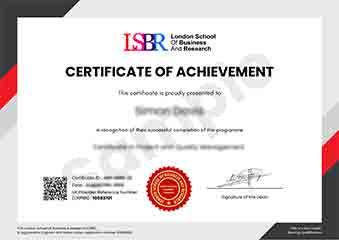
Sample Certificate
Preview the certificate you'll receive upon successful completion of this program.
Get Free Course Info
Enter your email and we'll send you the full course details, curriculum, and pricing information.
Is Your Employer Paying?
Many employers cover the cost of professional development. Request a corporate invoice and we'll handle everything — from enrolment to certification.
Trusted by 2,500+ Companies
From startups to Fortune 500 companies across 180+ countries.
What People Say About Us
Hear from our students about their experience with the Professional Certificate in Captioning Software: Maximizing Efficiency at LSBR School of Professional Development.
James Thompson
United Kingdom"The course provided comprehensive and well-structured content that significantly enhanced my understanding of captioning software, equipping me with practical skills to improve efficiency in real-world scenarios. It has undoubtedly opened up new career opportunities and improved my professional capabilities in multimedia content creation and management."
Oliver Davies
United Kingdom"This course has been instrumental in enhancing my ability to work efficiently with captioning software, making me more competitive in the industry. I've learned how to streamline my workflow, which has significantly boosted my productivity and opened up new opportunities for freelance work."
Muhammad Hassan
Malaysia"The course structure is well-organized, providing a clear path from basic to advanced captioning techniques, which has significantly enhanced my efficiency in real-world scenarios. The comprehensive content covers a wide range of software tools and their practical applications, offering substantial professional growth."
12 people are viewing this course right now