
Professional Certificate in Creating Interactive Web Maps with Leaflet.js
Elevate your web mapping skills with this certificate, mastering Leaflet.js for creating interactive, engaging, and dynamic web maps.
Professional Certificate in Creating Interactive Web Maps with Leaflet.js
Programme Overview
The Professional Certificate in Creating Interactive Web Maps with Leaflet.js is a comprehensive, hands-on curriculum designed for web developers, GIS professionals, and data analysts seeking to enhance their skills in creating dynamic and interactive maps for web applications. This program equips learners with the foundational and advanced skills necessary to design, implement, and optimize maps that effectively communicate spatial data. Participants will learn to integrate Leaflet.js, a popular JavaScript library, with various data sources, including geographical datasets, to create responsive and engaging web maps.
Key skills and knowledge developed through this program include understanding the fundamentals of web mapping, mastering the use of Leaflet.js to overlay various map layers, handling geospatial data, implementing interactivity through markers, popups, and custom controls, and optimizing maps for performance and accessibility. Learners will also gain proficiency in using RESTful APIs, integrating geospatial data from different providers, and implementing complex map functionalities such as clustering, drawing tools, and geocoding.
Upon completion of this program, learners will be well-prepared to embark on careers in web mapping or GIS-related fields, leveraging their newly acquired skills to develop innovative solutions for businesses, organizations, and governmental entities. The program’s practical approach, combined with real-world projects, ensures that participants are not only knowledgeable but also capable of translating their skills into tangible, impactful applications.
What You'll Learn
Discover the power of interactive web maps with the Professional Certificate in Creating Interactive Web Maps using Leaflet.js. This comprehensive program equips you with the skills to create, customize, and deploy interactive maps on the web, leveraging the robust Leaflet.js library. Key topics include understanding map projections, working with geographical data, integrating geospatial APIs, and enhancing maps with pop-ups, markers, and layers. You’ll learn to handle complex data sets and incorporate responsive design principles, ensuring your maps are accessible and engaging across various devices.
Graduates of this program apply their skills in diverse sectors such as real estate, urban planning, journalism, and environmental science. By creating dynamic, interactive maps, you can present information in a visually appealing and easily digestible manner, enhancing user engagement and data comprehension. This certificate opens doors to careers in data visualization, web development, and geospatial analysis. With hands-on projects and real-world case studies, you'll gain the practical experience needed to excel in these roles and contribute to innovative projects that make a difference.
Programme Highlights
Industry-Aligned Curriculum
Developed with industry leaders to ensure practical, job-ready skills valued by employers worldwide.
Globally Recognised Certificate
Recognised by employers across 180+ countries as a mark of professional excellence.
Flexible Online Learning
Study at your own pace with lifetime access to all course materials and updates.
Instant Access
Start learning immediately — no application process or waiting period required.
Constantly Updated Content
Stay ahead with the latest industry trends, best practices, and emerging insights.
Career Advancement
87% of graduates report measurable career progression within 6 months of completion.
Topics Covered
- 1. Introduction to Web Mapping and Leaflet.js: Learners will understand the basics of web mapping and how to use Leaflet.js to create interactive maps. They will gain foundational knowledge in setting up a Leaflet map, adding base layers, and handling map events.
- 2. Map Layers and Styling: This module covers the use of different map layers and styling techniques in Leaflet.js. Learners will learn how to add custom layers, style markers, and manage the appearance of their maps.
- 3. Adding Interactivity with Controls and Popups: Learners will explore various controls and popups in Leaflet.js to enhance user interaction. They will learn to implement clickable markers, tooltips, and interactive popups with geographical information.
- 4. Geolocation and User Interaction: This module focuses on geolocation services and how to integrate them into Leaflet.js applications. Learners will discover how to capture user location and display it on the map, and how to use geolocation data to provide dynamic content.
- 5. Working with Geospatial Data: In this module, learners will learn to work with geospatial data formats such as GeoJSON and TopoJSON. They will study how to read and manipulate this data to create dynamic and responsive maps.
- 6. Advanced Layers and Tile Services: This module delves into advanced layer management techniques in Leaflet.js, including the integration of tile services and other third-party data sources. Learners will learn to optimize map performance and enhance map layers.
- 7. Animations and Transitions in Leaflet.js: Here, learners will learn to add animations and transitions to their Leaflet.js maps. They will discover how to make maps more engaging and visually appealing through dynamic effects.
- 8. Responsive Design and Mobile Optimization: This module covers best practices for creating responsive and mobile-friendly web maps. Learners will understand how to ensure their maps work well on any device and learn to optimize for different screen sizes and resolutions.
- 9. Publishing and Deployment: In this module, learners will learn how to publish and deploy their Leaflet.js maps to the web. They will cover hosting options, security considerations, and best practices for distribution.
- 10. Real-World Case Studies and Project Management: This final module includes real-world case studies and project management techniques for creating and deploying interactive web maps. Learners will apply their skills to a comprehensive project, learn project planning and management, and prepare their maps for real-world use.
Everything You Get With This Programme
Key Facts
For professionals and students
No prior coding experience needed
Understands web mapping concepts
Master Leaflet.js library
Develops interactive web maps
Receives digital certificate
Ready to Advance Your Career?
Join thousands of professionals who have transformed their careers with LSBR.
Enroll Now — $149Why This Course
Enhanced Employment Opportunities: Acquiring a Professional Certificate in Creating Interactive Web Maps with Leaflet.js can significantly boost career prospects. Employers frequently seek professionals who can develop interactive web maps, as this skill is highly valued in sectors like GIS, data analysis, urban planning, and real estate. This certification demonstrates expertise in a specialized area, making candidates more competitive in the job market.
Skill Development and Practical Expertise: The certificate program focuses on practical skills, such as using Leaflet.js to create responsive and interactive maps. Participants learn to implement these skills in real-world scenarios, enhancing their problem-solving abilities and technical proficiency. This hands-on training is invaluable for professionals looking to advance in their careers by adding a robust skill set to their resumes.
Increased Marketability: With the rise of location-based services and data visualization, professionals who can create interactive web maps are in high demand. The certificate not only certifies proficiency in Leaflet.js but also showcases a candidate's ability to work with geospatial data and web technologies. This makes them attractive to a wide range of industries, from tech companies to non-profits, thereby increasing their marketability.
Estimated Completion
3-4 Weeks
Path to Certification
1. Enroll
Sign up and get instant access to all course materials.
2. Learn
Study at your own pace with expert-designed content.
3. Complete
Finish the programme in as little as 3-4 weeks.
4. Get Certified
Receive your industry-recognised certificate from LSBR.
Join Our Global Alumni Network
0
Graduates +
0
Career Growth %
0
Salary Increase %
0
Countries +
Course Brochure
Download our comprehensive course brochure with all details
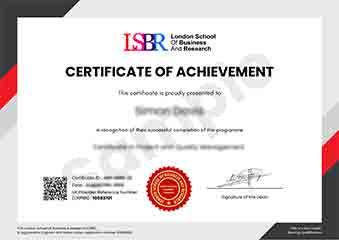
Sample Certificate
Preview the certificate you'll receive upon successful completion of this program.
Get Free Course Info
Enter your email and we'll send you the full course details, curriculum, and pricing information.
Is Your Employer Paying?
Many employers cover the cost of professional development. Request a corporate invoice and we'll handle everything — from enrolment to certification.
Trusted by 2,500+ Companies
From startups to Fortune 500 companies across 180+ countries.
What People Say About Us
Hear from our students about their experience with the Professional Certificate in Creating Interactive Web Maps with Leaflet.js at LSBR School of Professional Development.
Charlotte Williams
United Kingdom"The course content is incredibly thorough and well-structured, providing a solid foundation in creating interactive web maps with Leaflet.js. I've gained practical skills that have directly enhanced my ability to develop interactive maps for various applications, which has been incredibly beneficial for my career."
Rahul Singh
India"This course has been incredibly valuable, equipping me with the skills to create dynamic and interactive web maps that are highly sought after in the industry. It has not only enhanced my portfolio but also opened up new career opportunities in GIS and web development."
Jia Li Lim
Singapore"The course structure was well-organized, providing a smooth progression from basic concepts to advanced techniques in creating interactive web maps with Leaflet.js, which significantly enhanced my understanding and practical skills in web mapping. The comprehensive content and real-world examples were particularly beneficial for applying theoretical knowledge to real projects."
12 people are viewing this course right now